University IT
Connect Google Workspace Email and Calendar
On this page:
This guide explains how to use SU MCP Gateway to connect ChatGPT or Claude to Google Workspace Email and Calendar.
Capabilities, sign-in, and setup
| Topic | Details |
|---|---|
| What you can do | Read and summarize email, draft messages, and look up or create calendar events, where your Google account has these services enabled. |
| Sign-in method | Google sign-in with your Stanford Google account. Gmail and Calendar are connected separately. |
| Connect prompt | Using SU MCP Gateway, connect to my Gmail and Google Calendar. |
What you need to know
If you haven't already done so, set up SU MCP Gateway first and then come back here to connect Google Email and Calendar.
- Screenshots are from ChatGPT, but the prompts, sign-in pages, and confirmation screens look the same in Claude.
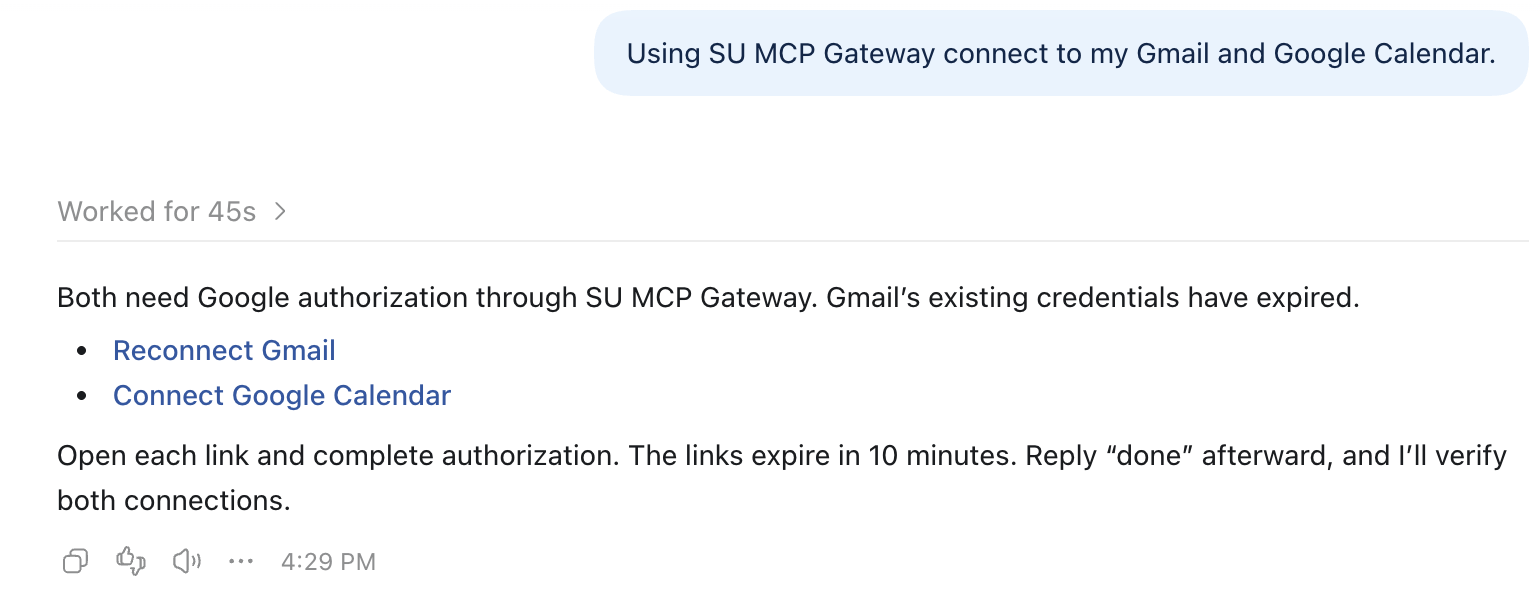
- Connection links expire after 10 minutes. If yours expires, ask the assistant to connect again for a new link.
How to connect Gmail and Calendar
Open a new chat in ChatGPT and type the prompt below.
Using SU MCP Gateway, connect to my Gmail and Google Calendar.- ChatGPT sends two links, one for Gmail and one for Calendar. Open each one and sign in with your Stanford Google account.
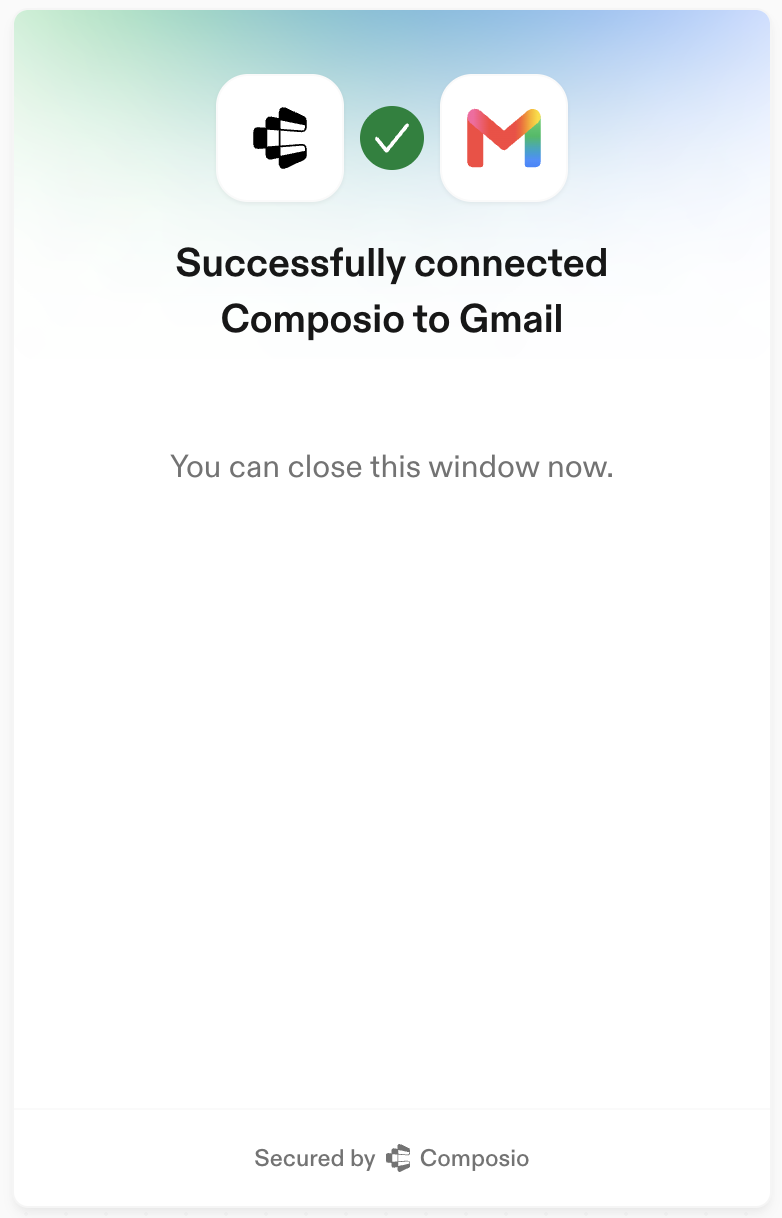
- When both show Successfully connected, reply done.
Try these prompts
If you're not sure where to start, try one of these:
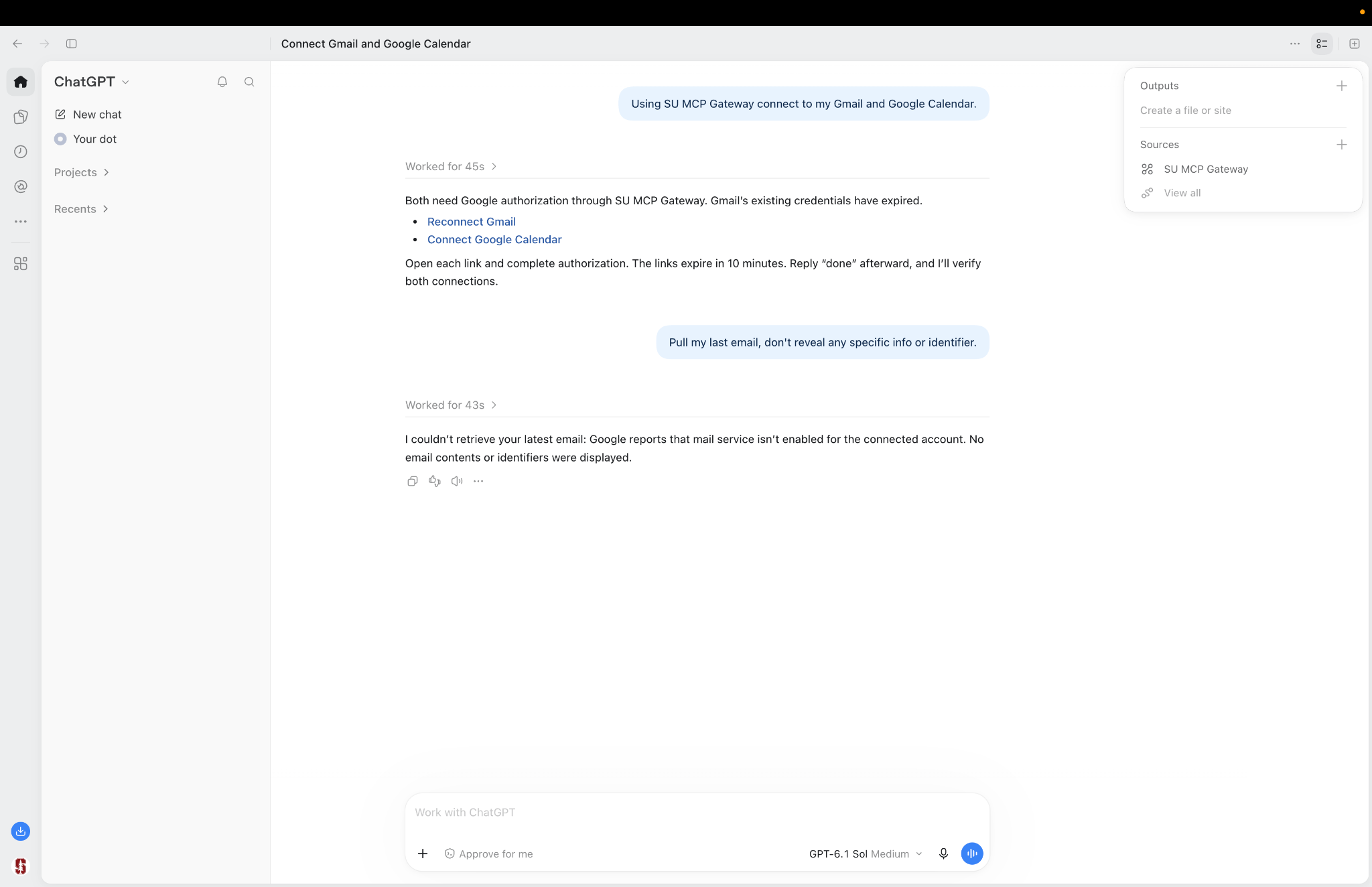
- Pull my last email without revealing any specific info or identifiers.
- What's on my calendar tomorrow?
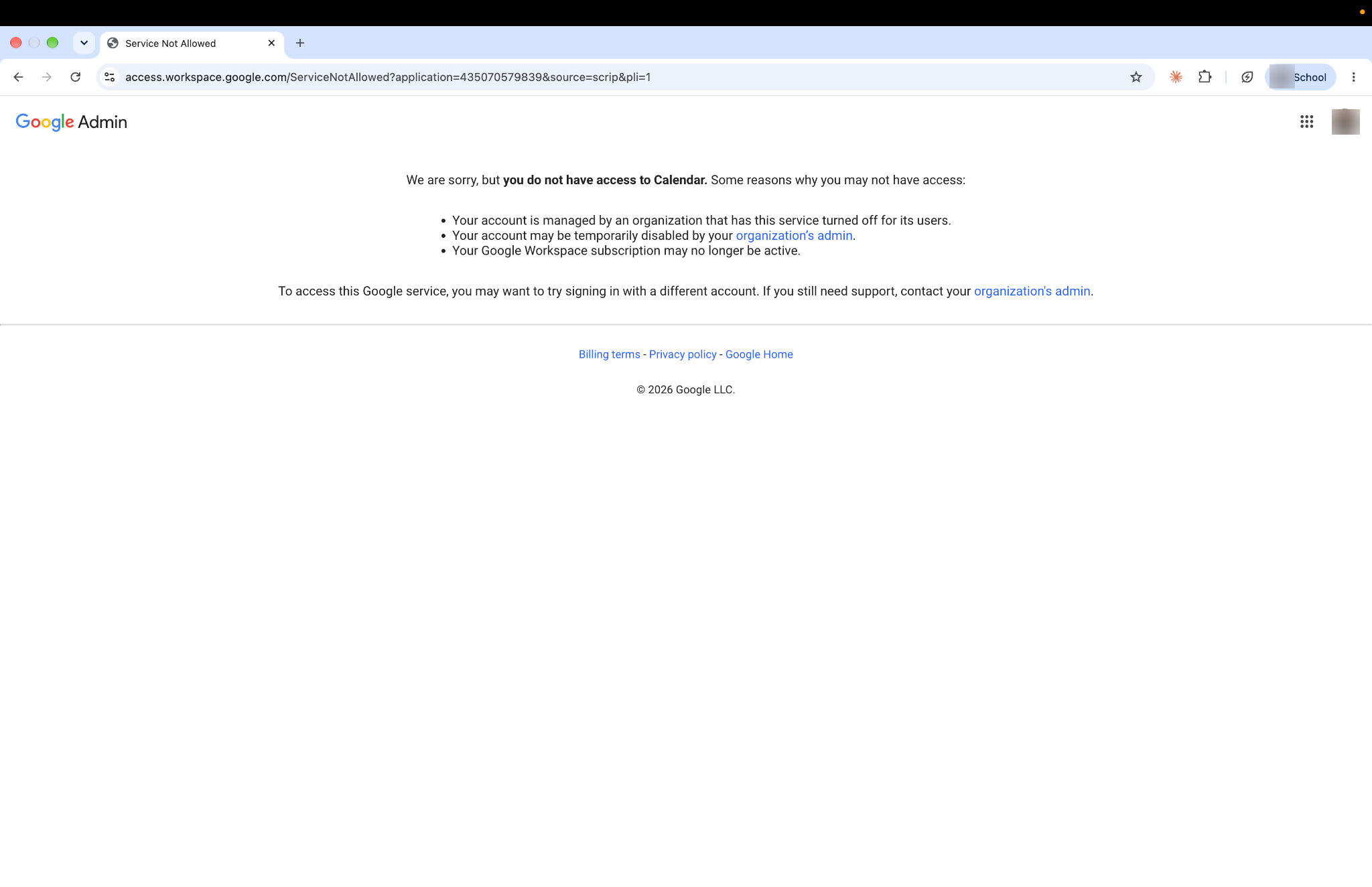
Tip: Most Stanford email and calendars run on Microsoft 365, so many Stanford Google accounts don't have Gmail or Google Calendar turned on. If yours doesn't, Google shows a "You do not have access to Calendar" page and ChatGPT reports that mail isn't enabled for your account. This is expected and isn't a problem with SU MCP Gateway
Get help
If you need assistance, submit a help request for your tool:
- ChatGPT Edu (OpenAI)
- Claude for Education (Anthropic)
Be sure to include:
- The app you tried to connect (Gmail or Google Calendar)
- What you typed and how the assistant responded
- A screenshot of any error
For fixes to common problems, see the troubleshooting guide.
Last modified