University IT
Accessible Canvas: Headings and Structure
Headings provide an organizational and navigational framework for a document's content, communicating both the informational hierarchy and relationship between different sections. Headings also provide a simple mechanism for an individual using assistive technologies to "jump" from one heading to the next when navigating the document.
Heading guidelines
- Headings should follow a logical structure that identifies content based on the organizational content and hierarchy of information in the document.
- Canvas automatically tags the page title as Heading 1. Page content headings should start at Heading 2.
- Avoid skipping heading levels.
- Headings should be short and succinct.
For additional guidance on formatting, please review the information on Headings.
How To Add Headings In Canvas
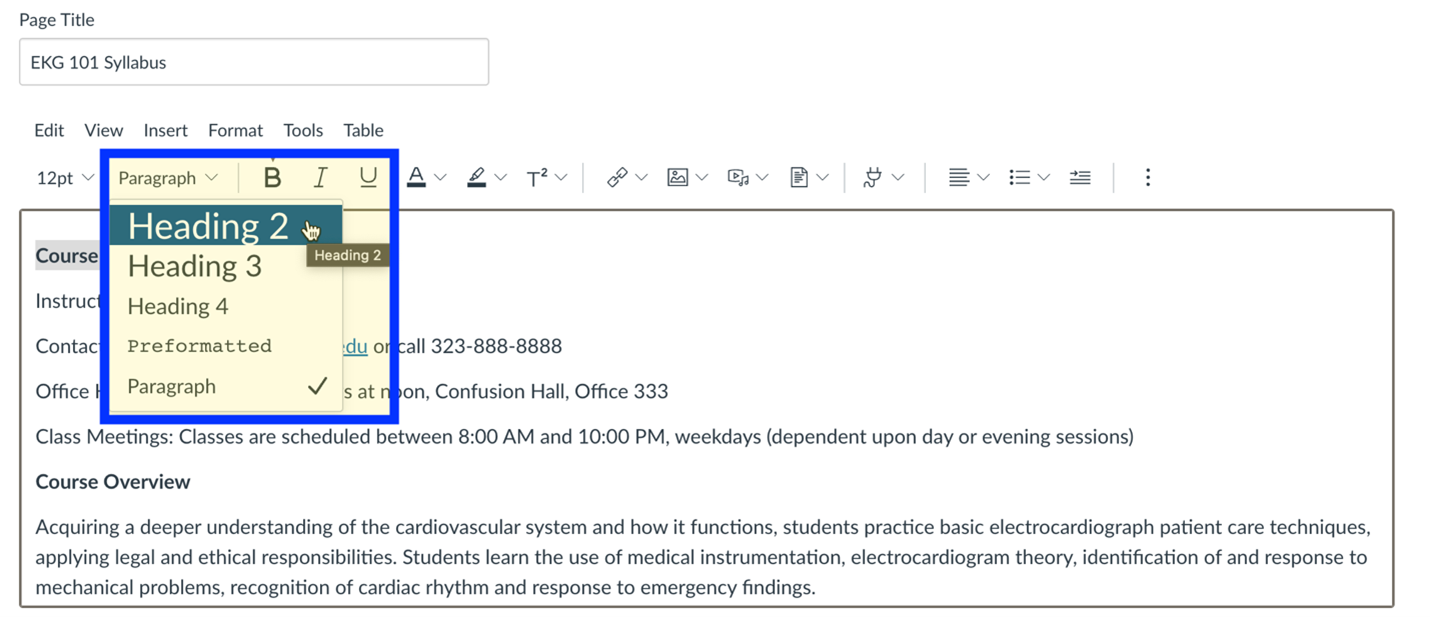
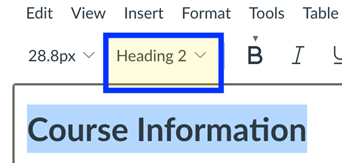
- Highlight the brief word or phrase, or place your cursor on the line.
- In the Rich Content Editor select the styles dropdown menu to reveal Headings 2-4.
Styles Pane
In Canvas the Page Title is automatically the heading level 1.
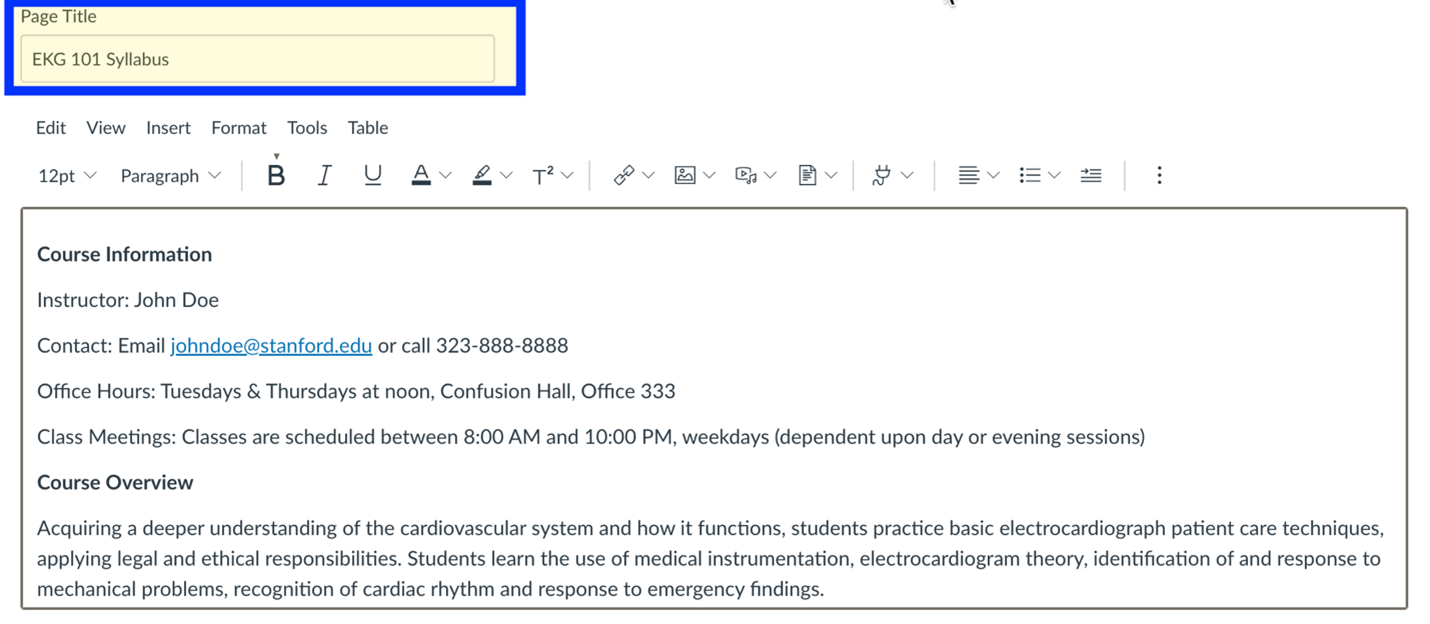
Additional Heading Levels
Additional heading levels can be added using the heading selector in the toolbar.
Pope Tech Accessibility Guide
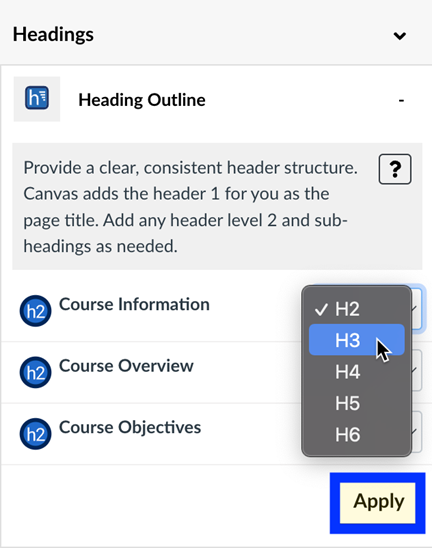
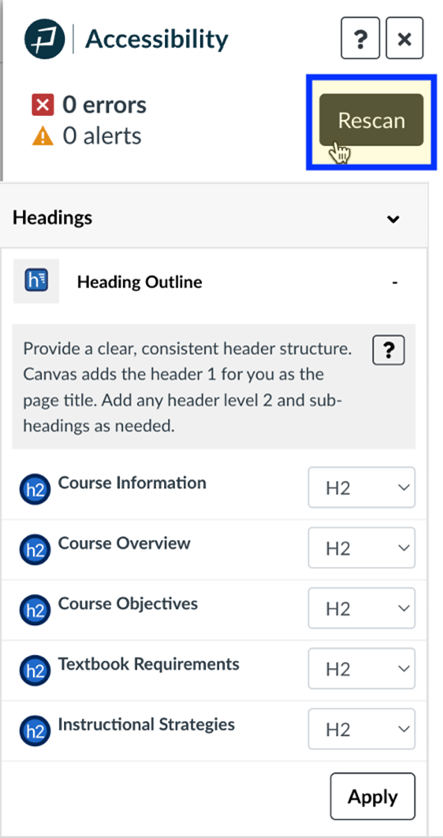
Select the Pope Tech Accessibility Guide and open the headings tab to see the number of headings contained in the Canvas page.
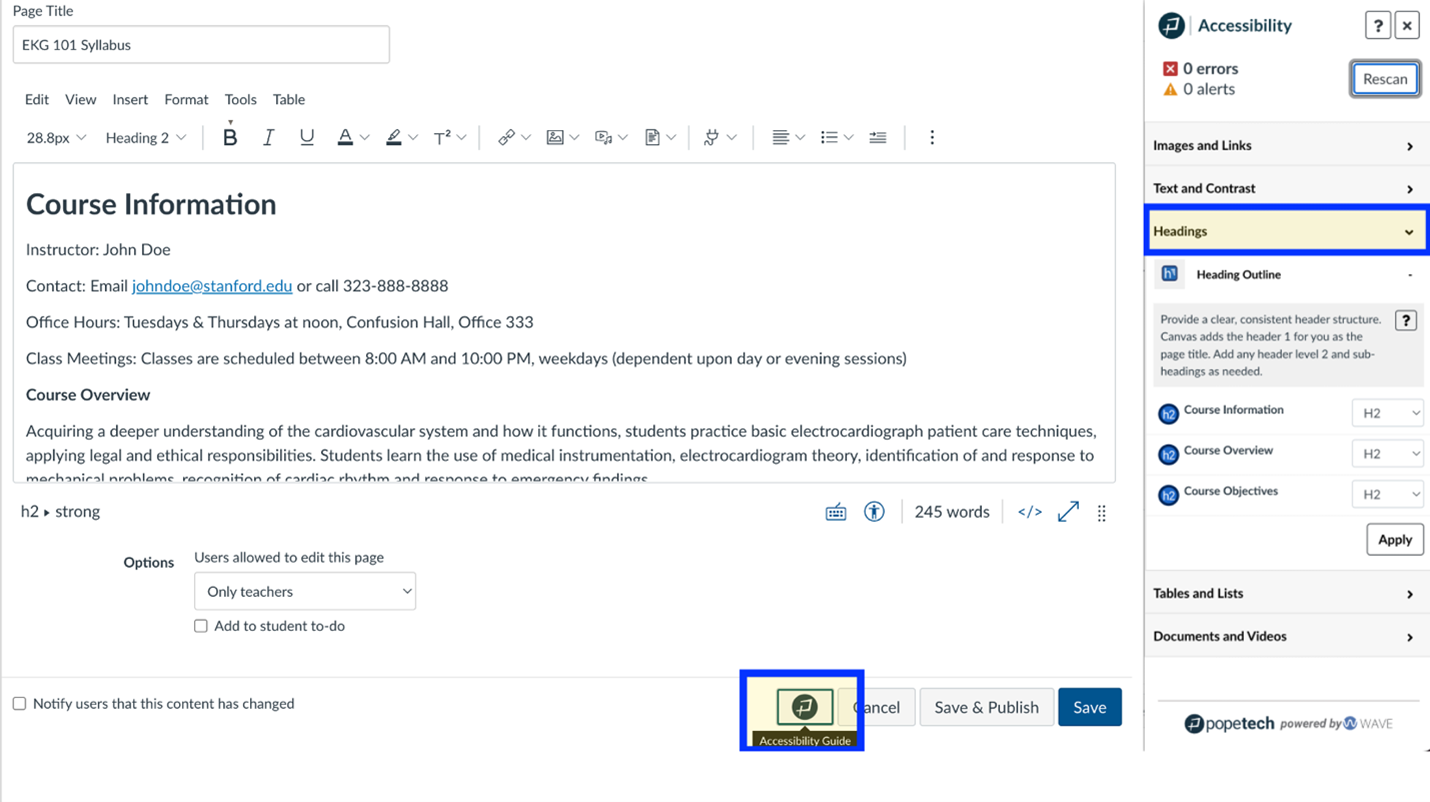
The Pope Tech Accessibility Guide includes options to change the listed heading levels and will update when additional headings are included.