University IT
Accessible Canvas: Tables
Tables are an effective way to organize tabular data. A simple, uniform table structure is easy to make compatible with assistive technologies. Programmatically defining the row and column headers enables screen readers to announce the appropriate header for each data cell, providing critical context for users.
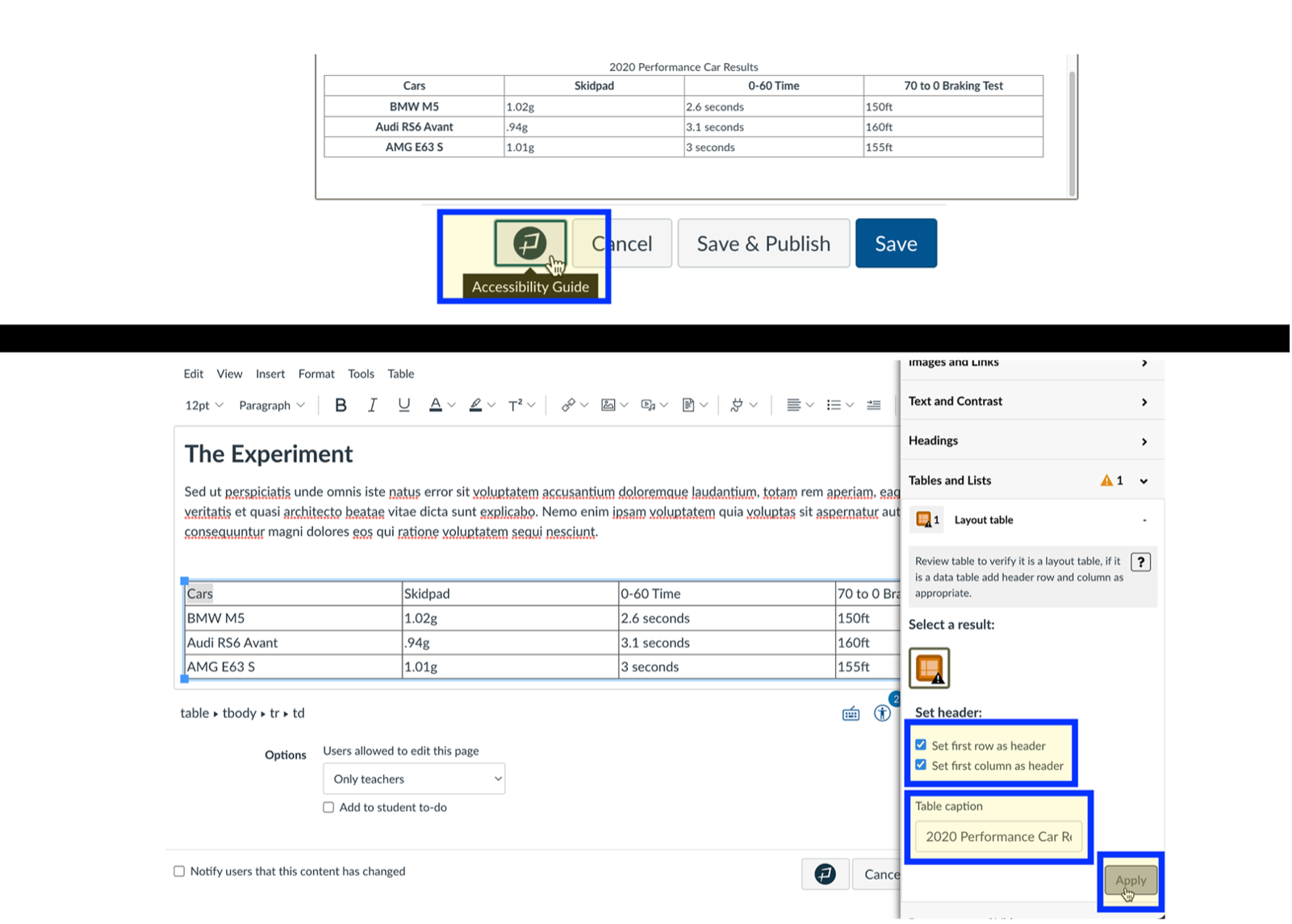
Using data tables for layout purposes creates significant accessibility barriers and must be avoided. The Instructor Accessibility Guide (IAG) will support authors in fixing tables to include a caption and the header row and column to be programmatically specified.
Tables in Canvas should be used for data and not layout purposes. An accessible table includes the following:
- At least one header (row and/or column).
- Alt Text description summarizing the table.
Use the Accessibility Checker to ensure you have the correct row and column header information:
- Create your Canvas page and then create a table.
- At the bottom of the editor, select the Accessibility Checker.
- In the drop-down menu Set a table header, select the appropriate header(s). Select Apply to save your work!
- Finally, under the Add a Caption field, write a brief and descriptive summary of the table. Select Apply to save your work!
How To Add Accessible Tables In Canvas
Creating An Accessible Table
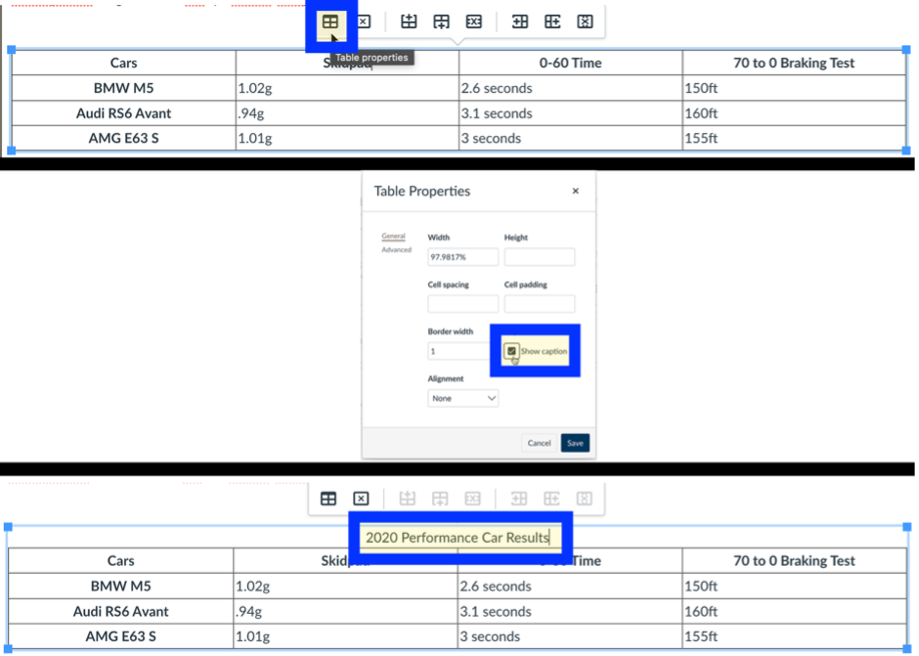
First add a caption to your table by selecting table properties and checking the caption box.
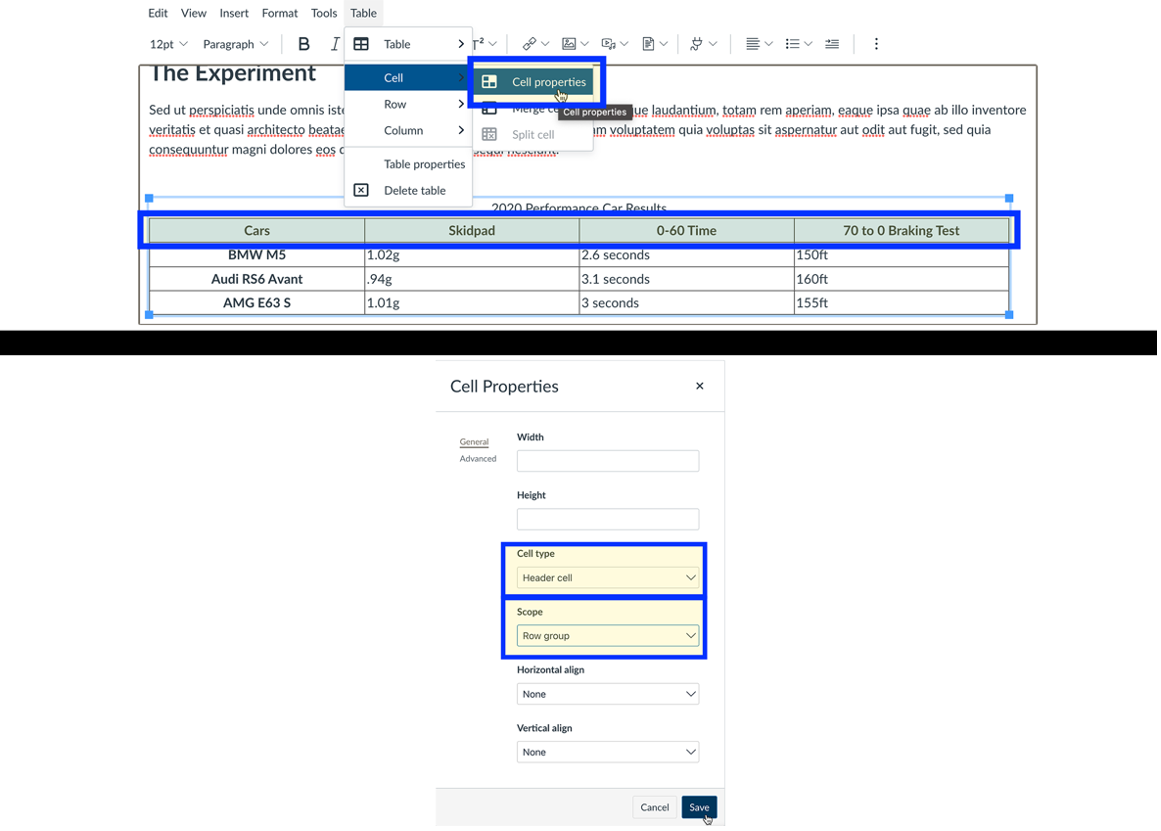
Select the header row of your table. Select the cell properties. Choose header cell and select row as the scope.
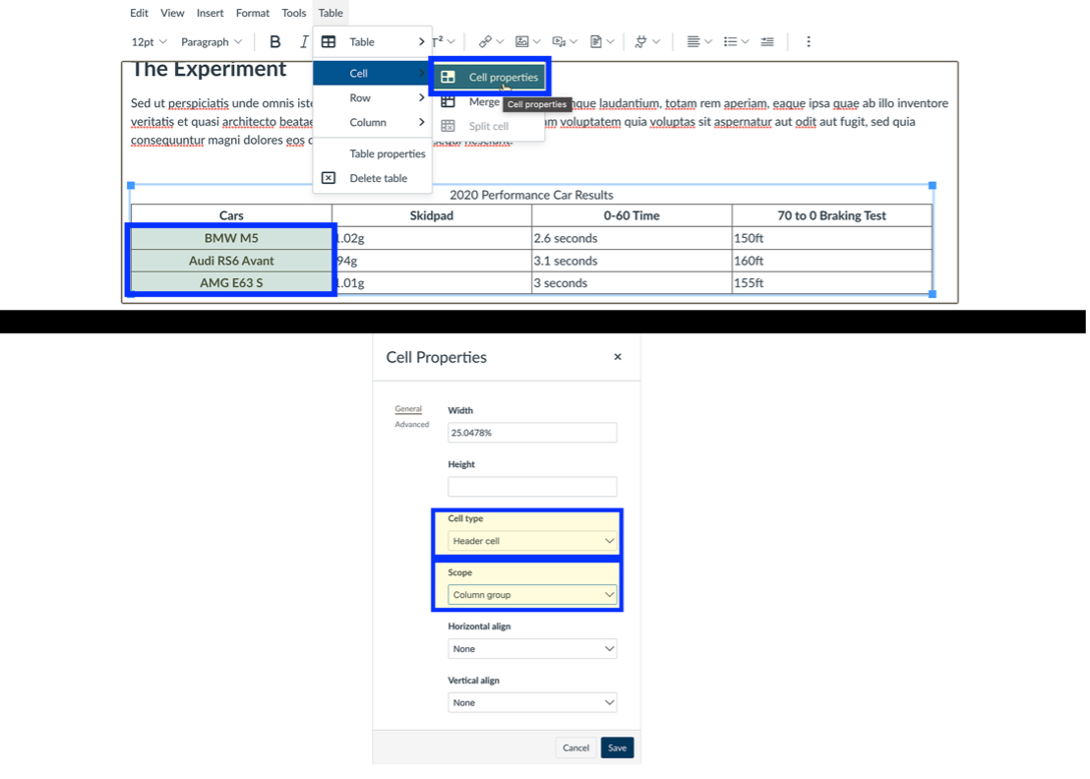
Select the header column of your table. Select the cell properties. Choose header cell and select column as the scope.
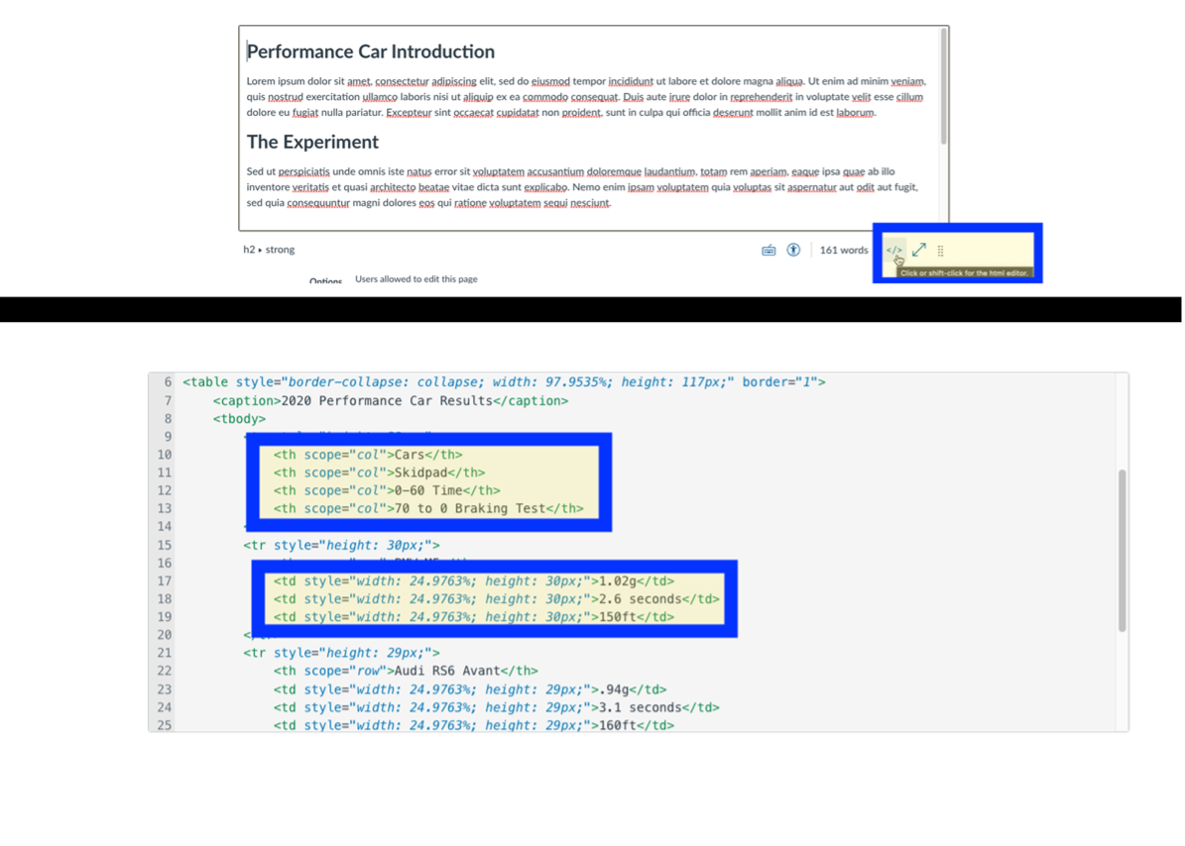
To check the code of a table, select the HTML editor. In the table code TH stands for table header and TD stand for table data. Changes can be made by editing the code of the table.
Pope Tech Accessibility Guide: Accessible Tables
Select the Pope Tech Accessibility Guide and open the tables tab. If your table has a header row or header column select the corresponding buttons. Add a caption for the table too.