 University IT
Headings
Headings provide important structure for your content. For example, the following newspaper image shows what it would look like with the headings removed (Stanford Daily, February 19, 1951).
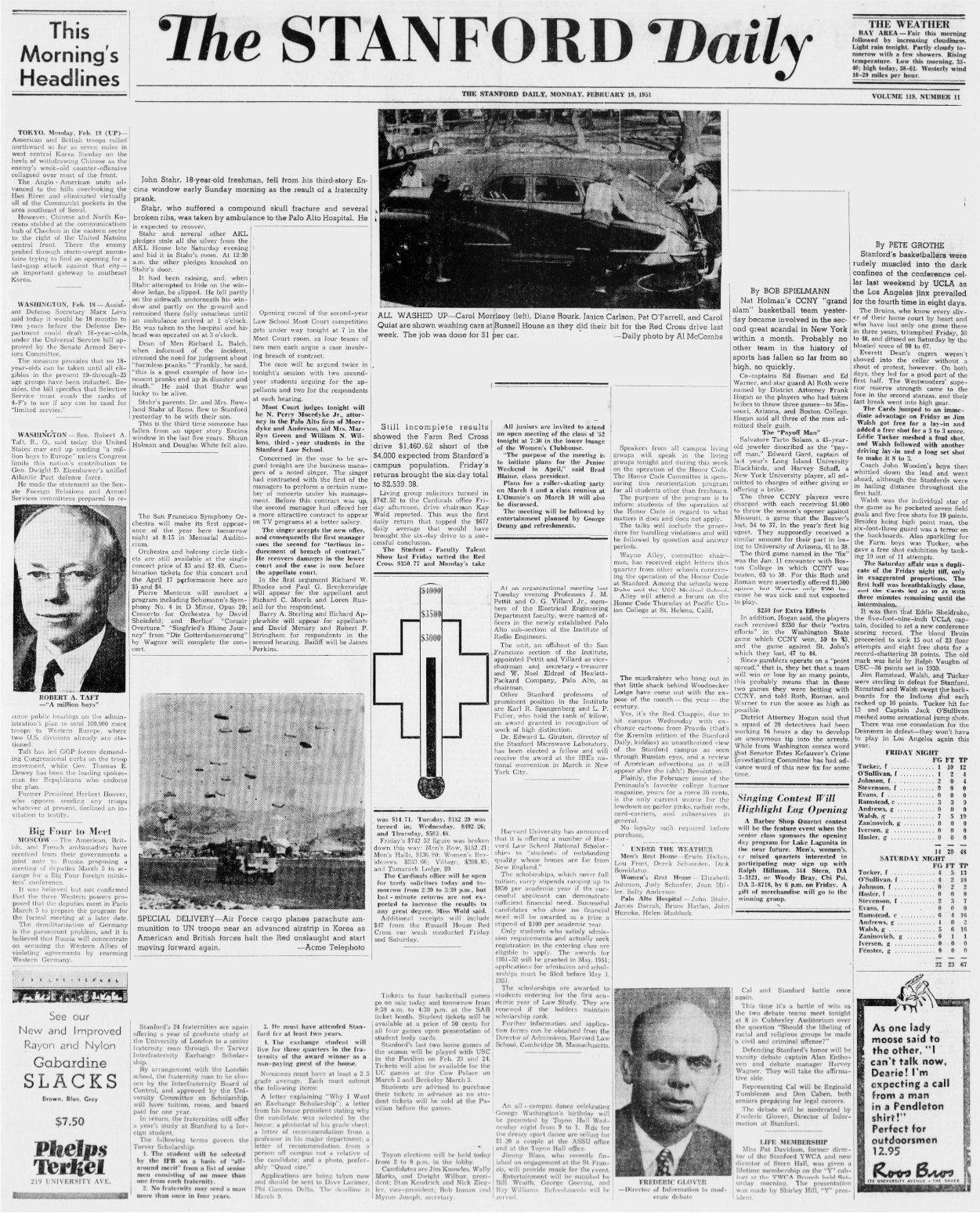
Without headings, it is difficult to understand the topics and structure, including where one article ends and another begins. Now look at the same newspaper with the headings restored.
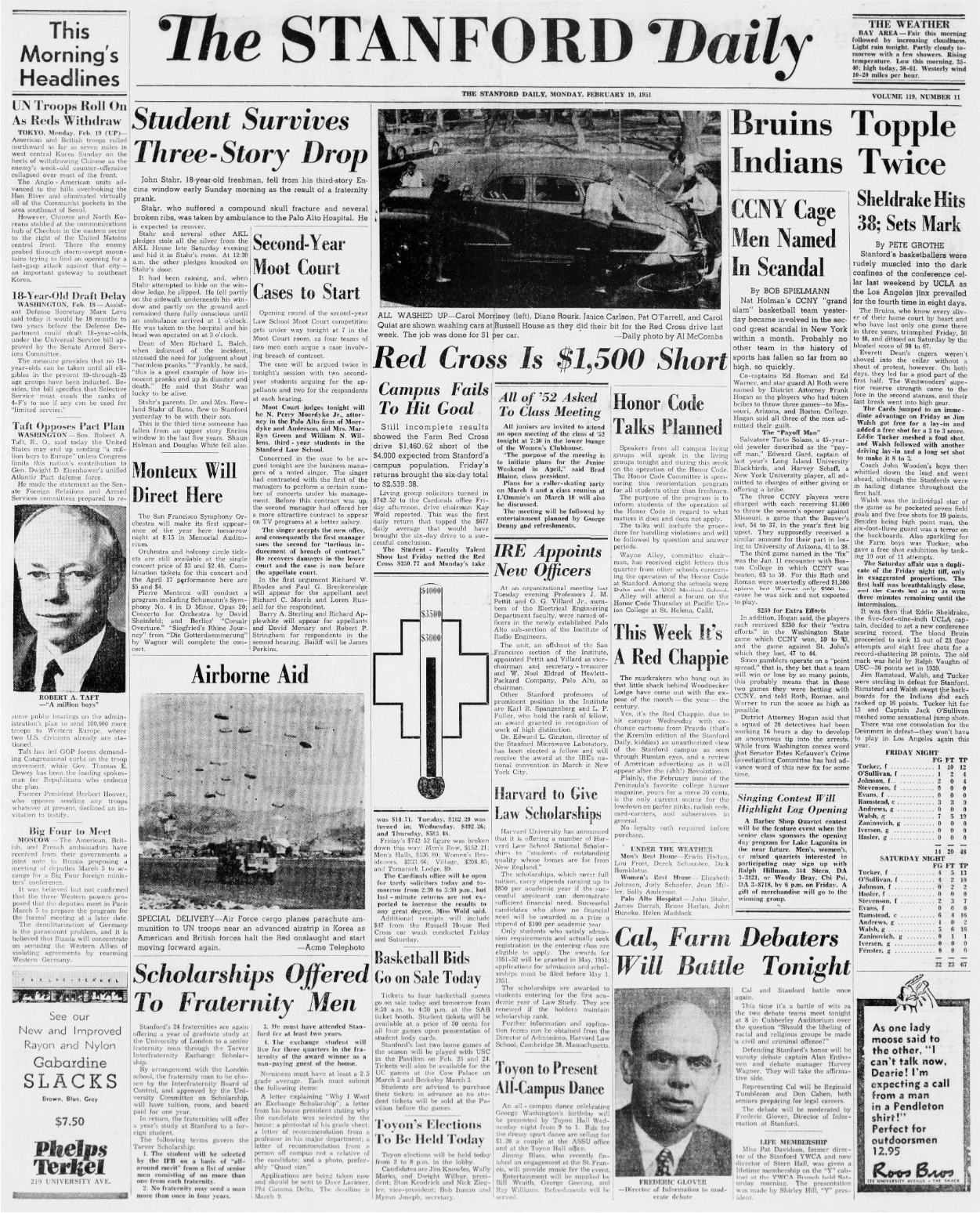
The version with headings adds structure that quickly orients readers to the page content. The same is true for headings on web pages and other documents.
Headings provide screen reader users with a simple method to navigate within a page or a document. A WebAIM survey of screen reader users found that using headings is the predominant method for finding web page information, with over 85% of respondents finding headings very or somewhat useful when navigating content. Headings allow users to find information more efficiently.
Organizing content prevents cognitive overload by providing information in digestible pieces. Headings present main sections, provide logical structure, and allow visitors to skim content.
Different heading styles and font sizes organize information into meaningful sections and demonstrates how subtopics relate to the main topics and to one another. For example, a document structure could be:
- Heading 1: Main topic or title
- Heading 2: Major subtopics related to main content
- Headings 3-6: Further refinement of subtopics related to the heading above
Using these principals, examine the heading structure of the Stanford News Page.
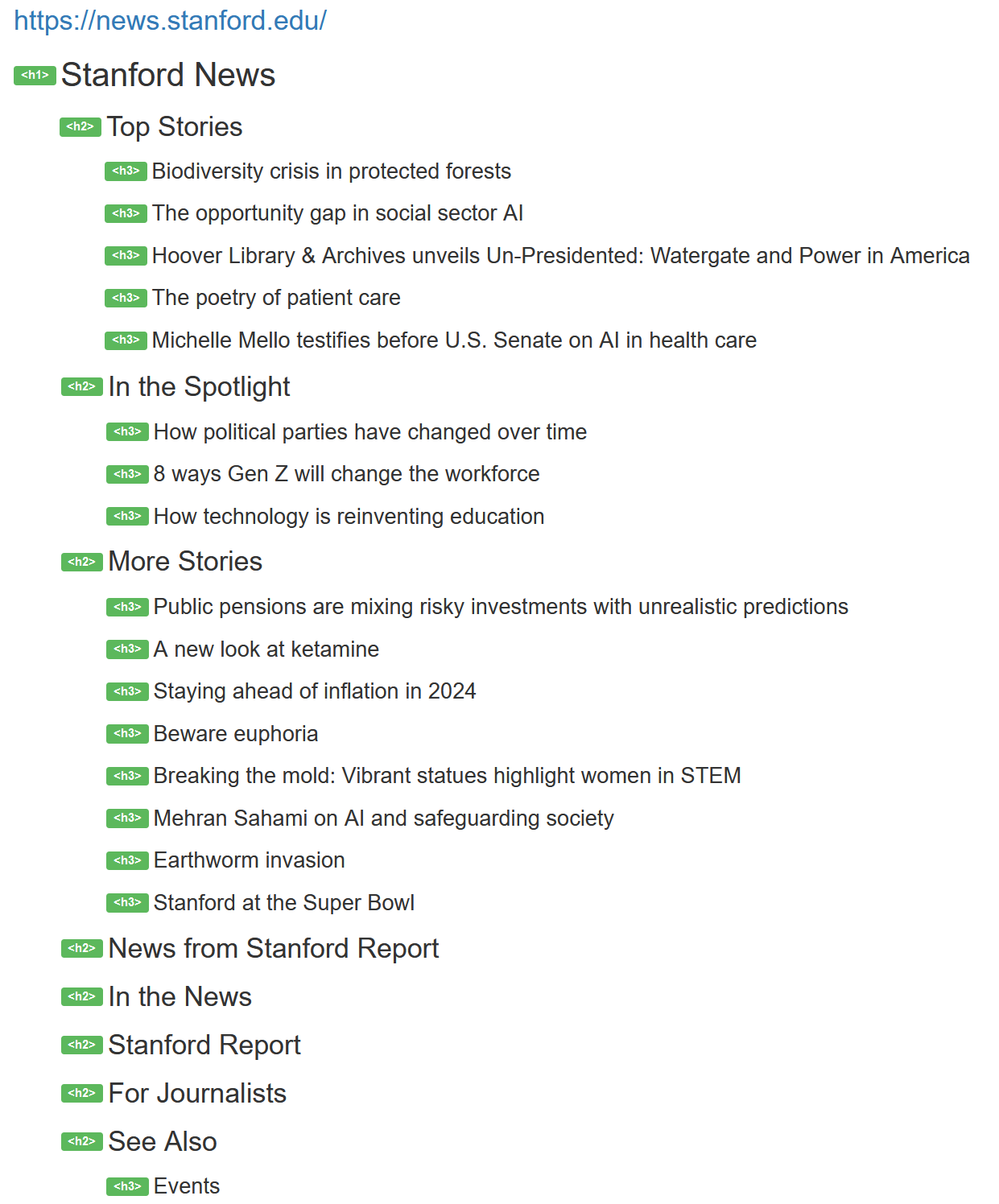
- Heading 1: Stanford News (main topic)
- Heading 2: "Top Stories," "In the Spotlight," and other major sections providing structure
- Heading 3: Individual articles within each section
When to Use Headings
Styling can emphasize text without identifying it as a heading. If content does not serve as a heading for what follows, it should not be marked as a heading using platform-specific methods for doing so. Similarly, when text serves as a heading, ensure it is correctly marked as one. For example:
<h2>Office Hours</h2>
<h3>The Offices of Undergraduate Admission and Financial Aid will close early at 2:30 p.m. (PST) on Friday and will resume normal business hours on Tuesday.</h3>
In this case, "Office Hours" serves as a heading and is correctly marked as one. The remaining information, while large and bold, does not serve as a heading and should only use text styles to achieve the visual effect without heading markup. The H3 should be converted to a paragraph instead.
