 University IT
Landmarks
HTML "landmark" elements create a structural map of your page, which is essential for assistive technology users to navigate efficiently.
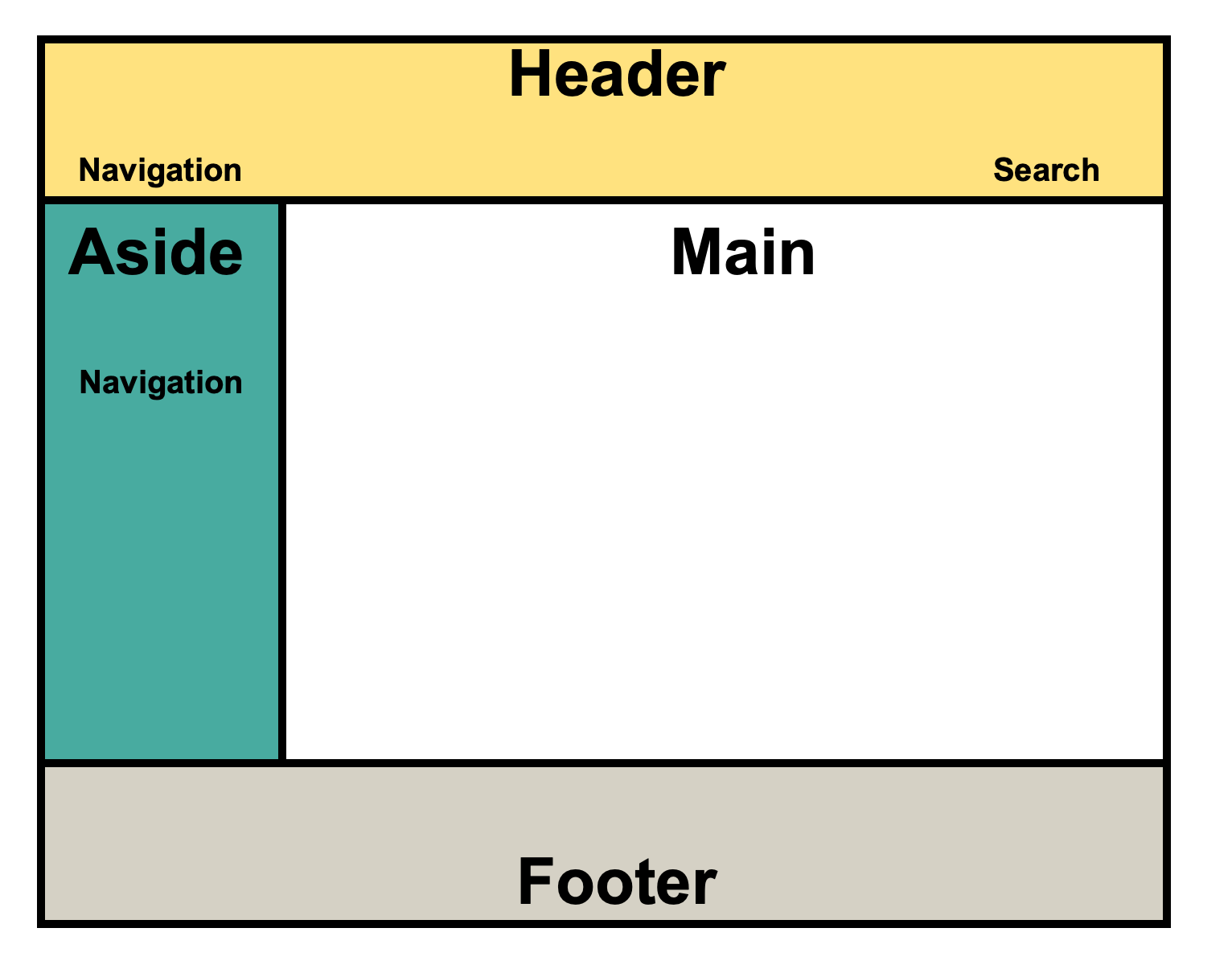
- Header: The page's top banner with the site logo and title.
- Main: The unique, central content of the page.
- Aside: Secondary, related content (e.g., a sidebar).
- Footer: The page bottom, with copyright and contact information.
A typical webpage layout defined by header, main, aside, and footer sections.
In addition to those 4 landmarks, there are a few other landmark regions that can be used:
- Nav: For navigation regions.
- Form: For forms
- Section: A generic region that should be named using
aria-labeloraria-labelledby.
Named Landmarks
While some landmark roles like <main> should only be used once per page, others such as <nav> may appear multiple times. When a landmark is repeated, it creates ambiguity for screen reader users unless each instance is given a unique accessible name.
To distinguish them, use the aria-label attribute to provide a short, descriptive name for each landmark. This allows users to understand the purpose of each region and navigate between them efficiently.
Example: A page with a primary site menu and a secondary in-page table of contents would be structured as follows:
<nav aria-label="Main Navigation">
<nav aria-label="Breadcrumb Navigation">
ARIA Equivalents
Use ARIA landmark roles only when you cannot use the corresponding native HTML5 element. This aligns with the first rule of ARIA use: prefer native semantics.
Apply ARIA roles to generic containers like <div> or <span>. Do not apply them to elements that already have an implicit landmark role.
<header>
<div role="banner">
The equivalent element/roles are:
<header>is equivalent torole="banner"<main>is equivalent torole="main"<nav>is equivalent torole="navigation"<aside>is equivalent torole="complementary"<footer>is equivalent torole="contentinfo"
For example, <header> and <div role="banner"> are announced identically by screen readers. Choose the native HTML element unless you are constrained by a legacy system. Except in rare circumstances, don't put both on the same element as this is redundant such as <header role="banner">.
