 University IT
Overview: Intune Enrollment App for Windows Devices (via BigFix)
These instructions are for the School of Medicine community.
Note: Windows Home is not supported at Stanford and cannot be enrolled for compliance. If your device is running Windows Home, please contact your local IT support team for help upgrading to a supported edition of Windows or identifying an alternative compliant device. Learn more.
For eligible Windows devices only, the university offers a guided enrollment process using the Stanford Intune Migration app deployed by BigFix. Read on to learn how to prepare for guided enrollment and preview the app experience based on your device type.
Note: This option will only display on Windows devices that are eligible for this enrollment method.
Prerequisite: Set up new Microsoft login
Before enrolling in Intune, you must set up your new Microsoft login using an approved authentication method. About 24 hours after you set up your new login, you'll see the prompt to launch the Intune Migration app.
Before you begin
- Backup your data: No issues are expected, but it's always a good idea to back up important data.
- Network connection: A reliable Wi-Fi network or wired connection will help ensure your enrollment goes smoothly.
- Save your work: Your device may restart during this process and unsaved work can be lost. Please ensure all your work is saved and applications are closed before starting the process.
What to expect
- The process takes 30 to 45 minutes to complete.
- You may temporarily loose access to network resources during enrollment.
- Your computer will restart automatically.
- If you have questions about the process or need help, please contact SoM Entra ID / Intune support using any of the options listed below:
- SoM TDS Service Desk: Call (650) 725-8000 (option 7), available 6:00 a.m. - 10:00 p.m., 7 days a week. Hours have been expanded to handle increased demand.
- SoM Tech Bar: Schedule an appointment at the location nearest you.
Launch the Intune Migration app
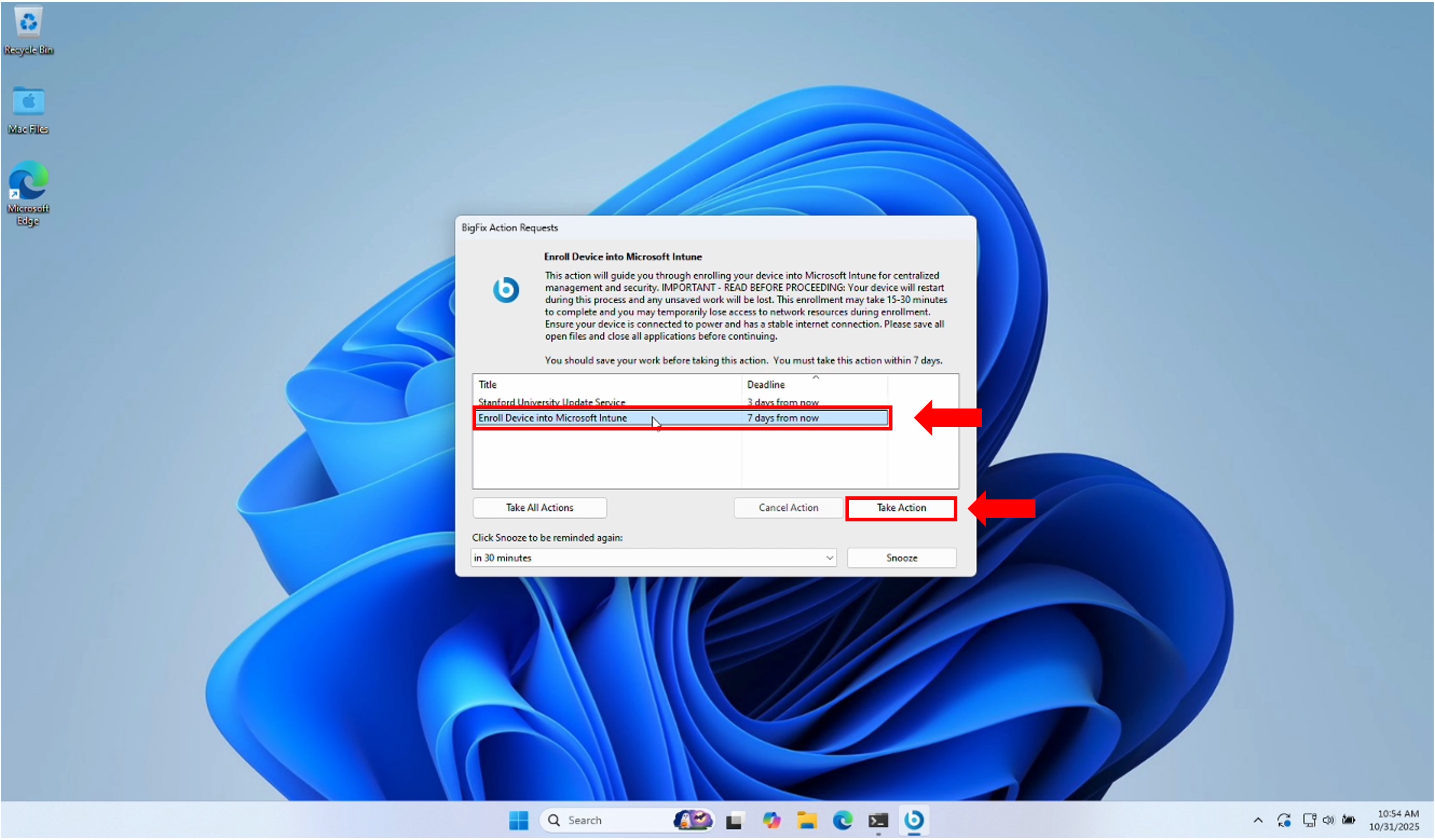
- You will receive a prompt from BigFix to begin. When the "BigFix Action Requests" window appears on your screen, click Enroll Device into Microsoft Intune from the dropdown menu.
Note: If multiple options are available, be sure to select this exact one. Carefully read the description before proceeding. Select Take Action to begin the process.
An additional dialog box will appear with more details. Click OK when you are ready to proceed.
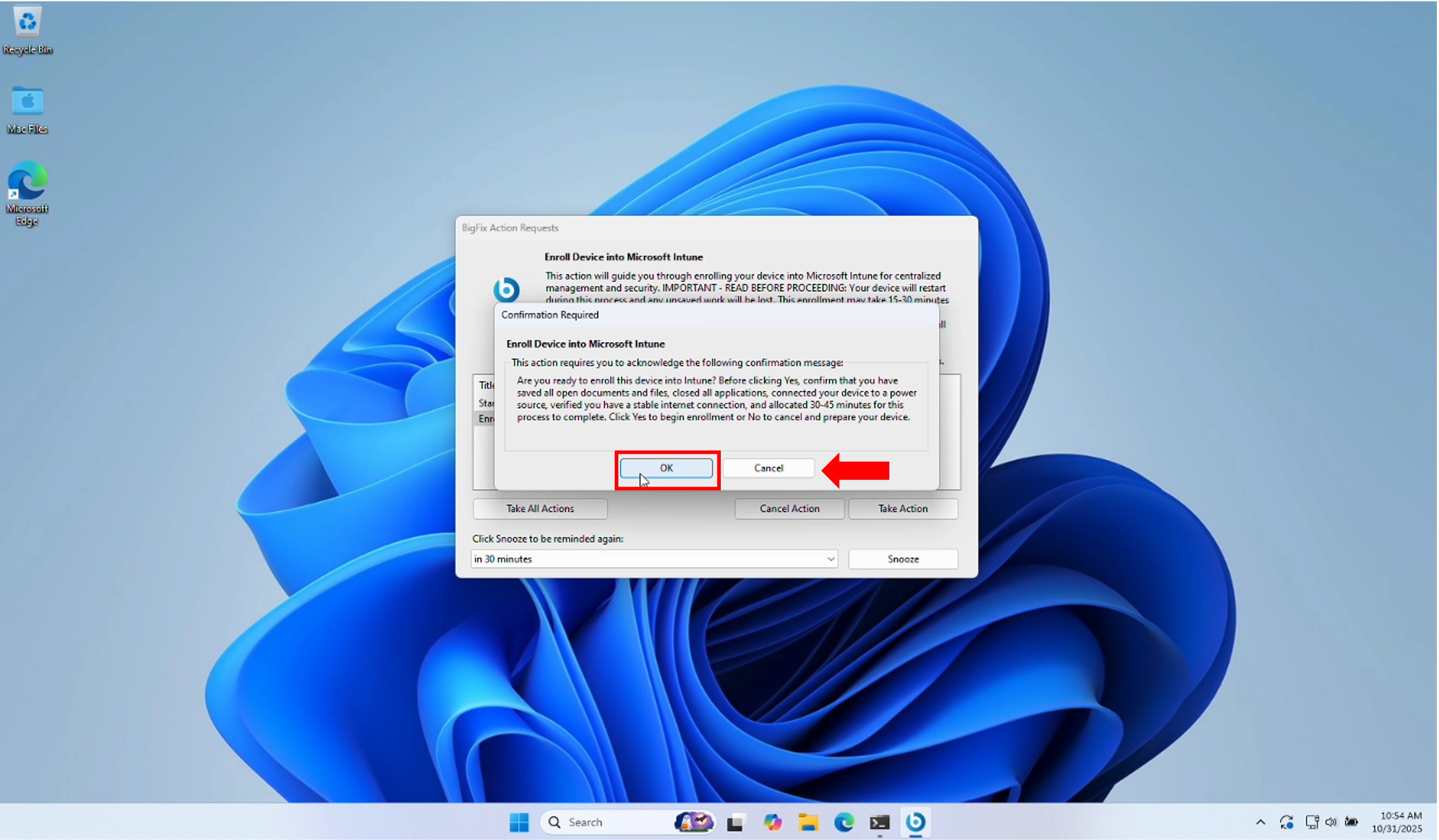
- The enrollment application will launch automatically. Please be patient — this process can take up to 15 minutes depending on your network speed.
Preview the Intune Migration app experience
This process will enroll your Windows device in Stanford's Intune device management system. The enrollment steps depend on your device type. Stanford-owned devices are purchased and managed by Stanford. Personal devices are owned by you and used for Stanford work.
Please choose the option that applies to you and proceed:
