University IT
1. Automated Test
Requirement
The website/electronic content does not show significant errors from a browser-based automated accessibility testing tool.
Evaluation Process
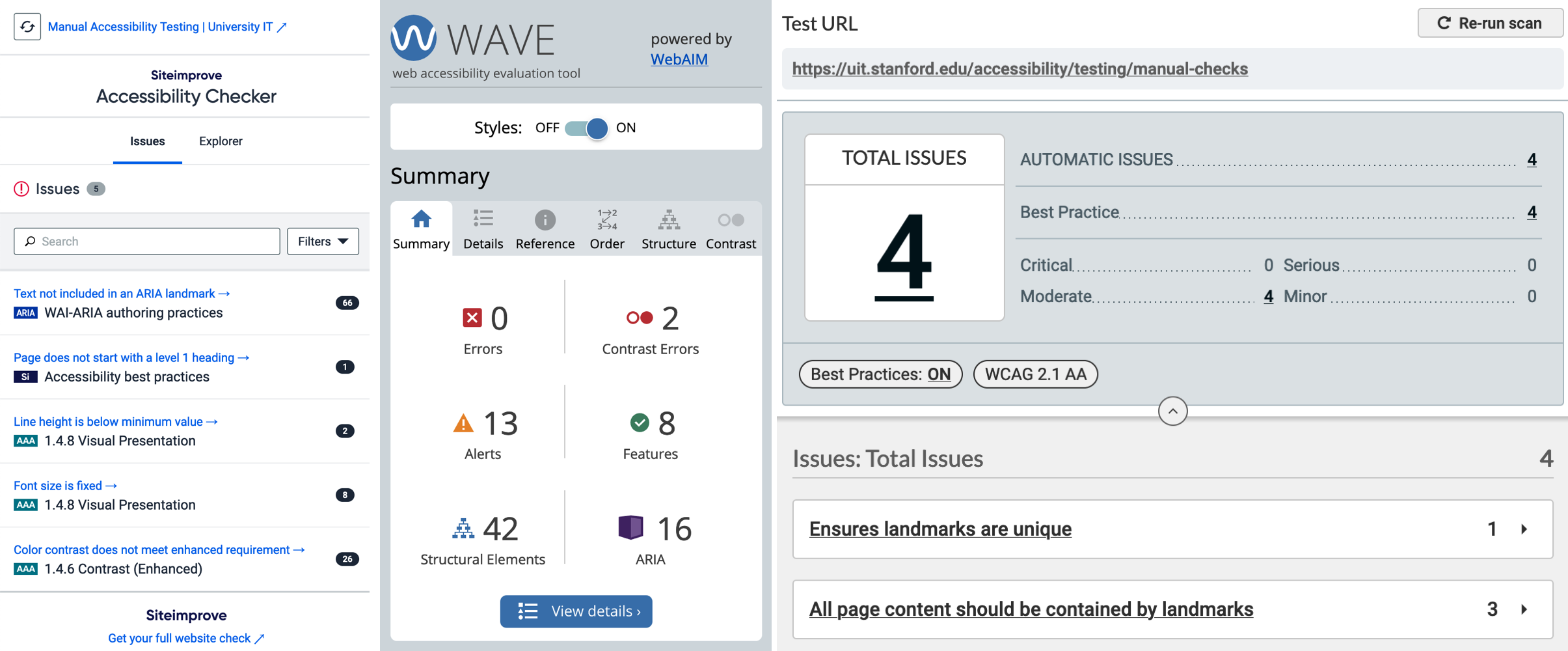
The first step is to run an automated testing tool. These tools can identify approximately 30-40% of accessibility errors on a page. Because different tools use varying accessibility rules, it is best to use more than one to ensure broad testing coverage. Note that when interpreting results, the volume of errors may differ depending on the page and the tools used.
It is also important to note that some tools report WCAG Level AAA violations, which is not required for Stanford compliance (Level A and Level AA are the required standards). Therefore, auditors may disregard AAA violations and other "best practice" warnings.
Scoring Guide
- Pass: No serious errors are present. No or very few warnings.
- Partial Fail: A few errors and/or several warnings.
- Fail: Lots of errors and/or warnings are present.
- Not Applicable: This is downloadable software (Mac, Windows, iOS, etc.) rather than a web page.
- Unknown: Only use if you are unable to run an automated test.
More Information
See our page on Browser Plugins and Tools for our recommended tools and more information on how to perform automated testing.