 University IT
Styling Lists
In most cases, CSS styling does not affect page accessibility. However, certain list-related CSS can change how screen readers present list content and should be considered.
List Style Type
Changing the list-style-type in CSS will cause the screen reader to read different characters for each list item. The following are the most common:
| Value | Description | JAWS Reads * |
|---|---|---|
| Unordered List Types | ||
| circle | The marker is a circle | White Bullet |
| disc | Default value. The marker is a filled circle | Bullet |
| square | The marker is a square | Black Square |
| Ordered List Types | ||
| decimal | Default Value. The marker is a number | One, Two, Three, etc. |
| decimal-leading-zero | The marker is a number with leading zeros (01, 02, 03, etc.) | Zero One, Zero Two, etc. |
| lower-alpha | The marker is lower-alpha (a, b, c, d, e, etc.) | a, b, c, etc. |
| lower-greek | The marker is lower-greek | Alpha, Beta, Gama, etc. |
| lower-latin | The marker is lower-latin (a, b, c, d, e, etc.) | a, b, c, etc. |
| lower-roman | The marker is lower-roman (i, ii, iii, iv, v, etc.) | i, ii, iii, etc. (pronounced like "eye", "eye eye", etc.) |
| upper-alpha | The marker is upper-alpha (A, B, C, D, E, etc.) | a, b, c, etc. |
| upper-greek | The marker is upper-greek | Alpha, Beta, Gama, etc. |
| upper-latin | The marker is upper-latin (A, B, C, D, E, etc.) | a, b, c, etc. |
| upper-roman | The marker is upper-roman (I, II, III, IV, V, etc.) | i, ii, iii, etc. |
| Other Styles | ||
| none | No marker is shown. See "None Style" section below. | Nothing |
| initial | Resets the list to its default value. | This is the same as disc for UL, and decimal for OL. |
| inherit | Inherits this property from its parent element. | Takes on the type of the parent element. |
* As tested in July of 2026, using JAWS version 2025.2508.120 and Chrome 150.0.7871.115 using the default settings for both.
Other Ordered List Types
There are additional ordered list styles where either nothing or "dot" is read unless the user has specific language packs installed in JAWS. The following all read as nothing unless specified:
- armenian ("Dot")
- cjk-ideographic
- georgian ("Dot")
- hebrew ("Dot")
- hiragana
- hiragana-iroha
- katakana
- katakana-iroha
None Style
The "none" style presents a special case as it is not interpreted the same in all browsers/screen reader combinations. While most will continue to read it as a list, but with no style attached, others will treat this the same as a role="presentation" and treat it as decorative. Therefore, when using the "none" style it is recommended that you put the appropriate ARIA role on each list element.
<ul style="list-style-type: none;" role="list">
  <li role="listitem">List Item 1</liv>
  <li role="listitem">List Item 2</liv>
  <li role="listitem">List Item 3</liv>
</ul>
List Style Image
Another type is the list-style-image which can be applied to either ul or ol types of lists. This inserts a custom graphic that replaces any visual graphic. The result would look something like this:
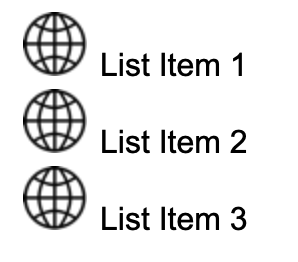
The resulting code would look like this:
<ul>
  <li>List Item 1</li>
  <li>List Item 2</li>
  <li>List Item 3</li>
</ul>
From an accessibility perspective, these are read the same as list-style-type: none, with no information about the bullet read to the user, and no information about the graphic read either.
