 University IT
Images of Text and Logos
Using images to display text content presents significant accessibility barriers that can exclude users with disabilities and negatively impact overall user experience. While visual text may appear aesthetically appealing, it creates obstacles for assistive technologies and various user groups who rely on alternative methods to access digital content.
Use actual HTML text whenever possible, reserving images for truly visual content. Use CSS to stylize any text to appear however you want. When images containing text are unavoidable, provide comprehensive alternative text and consider supplementary accessible formats.
Primary Accessibility Concerns
Screen Reader Incompatibility
Screen readers cannot interpret text embedded within images. While alt text can describe images, it has practical constraints. Complex information presented as images requires lengthy descriptions that may be truncated or cumbersome.
Scaling and Magnification Issues
Users with low vision often enlarge text for readability. Text within images becomes pixelated and blurry when magnified, unlike HTML text that scales cleanly. This degradation makes content difficult or impossible to read, forcing users to abandon the information.
Translation Barriers
Automated translation tools cannot process text embedded in images, creating obstacles for non-native speakers and international audiences. This limitation restricts content reach and violates inclusive design principles.
Cognitive Accessibility
Users with dyslexia or other cognitive disabilities often employ custom stylesheets, specialized fonts, or browser extensions to improve readability. Image-based text cannot be modified by these assistive tools, preventing users from adapting content to their needs.
ALT Text
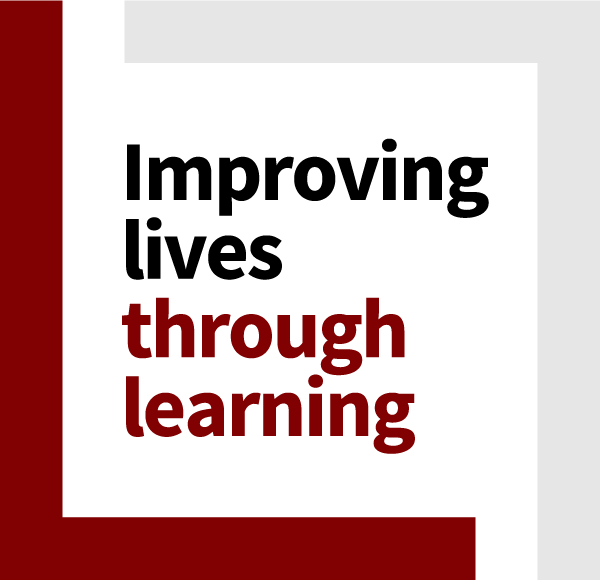
All content within images of text must be conveyed to assistive technology. For images with few words, use the exact text in the ALT attribute. For example, the following image from the Stanford Graduate School of Education website would have ALT text alt="Improving Lives Through Learning".
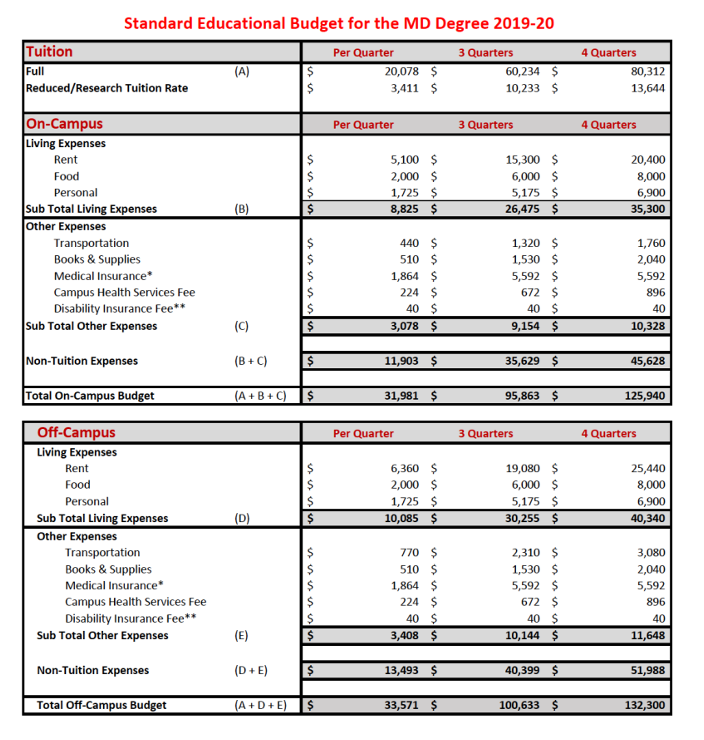
Images with more complex text, such as the budget example below, usually need to be recreated in HTML with proper semantic structure. A brief summary ALT still needs to be provided if the image remains.
Logos
Logos are exempt from most accessibility rules around color contrast, etc. and that includes using them in place of text. ALT text for logos should reflect the brand name and do not need to include any information about the design, unless the purpose of the page is specifically to talk about the logo design.

<img src="logo.png" alt="Stanford University">If the logo is a link, the ALT text should reflect both the name and the destination:
<a href="https://stanford.edu"><img src="logo.png" alt="Stanford University Home"></a>If the logo is an alternate image, such as the university seal, then simply identify it as the seal:

<img src="seal.png" alt="Official Seal of Stanford University">If the logo contains additional information, then the ALT text should reflect that as well.
<img src="seal.png" alt="Stanford Medicine: Department of Pathology">