 University IT
Zoom Video Conferencing
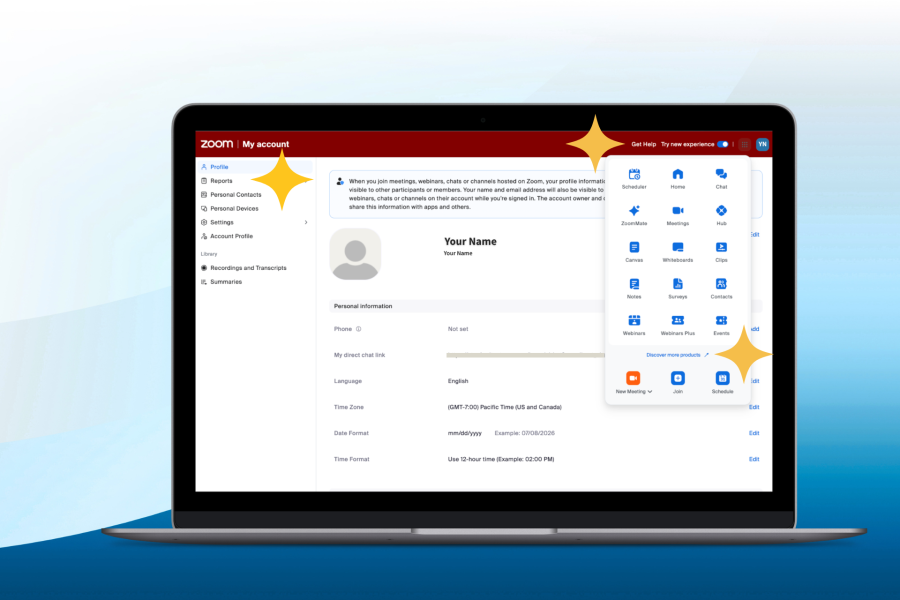
Navigation Updates for Zoom Web Portal Coming Soon
Stanford Zoom is the university’s video conferencing service available to Stanford affiliates, including students, faculty, and staff. To get started, log in using your base or fully sponsored SUNet ID on the Zoom desktop, mobile, or web app. You can use this service to host and manage meetings for classes, office hours, advising, team meetings, and events.
Features
| Zoom Feature | Description |
|---|---|
| Workplace |
|
| AI Companion | Boost your productivity and enhance accessibility in your meetings and communications with features like Meeting Summary, in-meeting Ask for questions, and Smart Recording (availability may vary). Visit Zoom AI Companion to learn more. |
| Zoom for Government | An instance of Zoom designed to meet the requirements and needs of the Federal Government. Visit Zoom for Government to learn more. |
| Webinar | A Zoom Webinar is an online event hosted on Zoom where one or more presenters share video/audio and content (like slides) with a larger audience. Attendees typically join in “view-only” mode, with interaction managed through tools like Q&A, chat, polls, and moderated panelist participation.
|
| Clips | Record, edit, and share short video messages to communicate asynchronously with your team. With Zoom Clips, record a video message or your screen, and set viewing permissions to share with others. Colleagues can comment on clips, and you can track your video views. Explore the Zoom Clips webpage to learn more. |
| Notes | Create and share content within a Zoom meeting without having to jump in between third-party documentation tools, and edit your notes after your meeting has ended. Additionally, Notes offers a robust editor with extensive formatting options such as font, styling, bullets, and colors. Read Zoom introduces Notes to learn more. |
| Survey | Quickly create, edit, and share surveys and polls with colleagues. Survey extends Zoom’s in-meeting and webinar capabilities with a standalone option, providing more ways to engage with others outside of meetings. Aggregate results in different ways, with a comprehensive response overview of all collected data, or broken out by meeting, webinar, link, or individual responses. Learn more about the survey tool on the official Zoom website. |
| Whiteboard | Zoom Whiteboard is a built-in digital canvas in Zoom where you can create and collaborate visually in real time (or asynchronously) using drawings, sticky notes, shapes, text, and templates—useful for brainstorming, planning, and workshops. The storage capacity of each whiteboard is limited to 200 MB. Additional storage and features can be purchased (learn more about Zoom Whiteboard Plus at Zoom Rates. |
Additional Zoom add-on features are available upon request and may incur a per-user, per-month fee. See the Zoom Rates page for information.
Designed for
Current Stanford University faculty, staff, students, members of the Stanford health care community, or other users with base or fully sponsored SUNet IDs.
Stanford Zoom is for Stanford-work related activities only. You should not use it for activities that are not related to Stanford work (per Stanford Administrative Guide 6.2.1). Such activity increases Stanford's use and associated costs. Support staff monitor after-hours use and international calling charges.
Requirements
Active SUNet ID (base or fully sponsored)
Data security
Holding Zoom meetings, sharing screens, and recording meetings is approved for High Risk Data, as defined in Stanford Risk Classification Guidelines.
Recording meetings
When recording meetings that include Protected Health Information (PHI) or other regulated data, please be aware that all regulatory requirements apply, including HIPAA. While Zoom has been certified for use with meetings that include such data, you are responsible for ensuring regulatory requirements are met sharing, downloading, and storing the recordings, as with any other regulated content.
Captioning and Transcription
The default settings for Zoom’s captioning and transcription features are designed to enhance data security during webinars and meetings. Enabling captioning and transcription can improve accessibility for participants, aid in note taking, and help attendees revisit key points discussed during the meeting. To maintain privacy, meeting hosts should consider the implications of sharing transcripts after the meeting. Learn about default settings and view details on how to make adjustments to your Zoom caption or transcription settings.
Rates
Stanford Zoom Workplace with AI Companion is free.
View Zoom features and rates on the Zoom Rates page.
Get started
If you have a Stanford-managed computer, the Zoom Application should already be installed. Users with an active or sponsored SUNet ID can access Zoom right away—your account is created automatically the first time you log in.
Note: When you log in to Zoom, always choose the single sign-on option. If you accidentally set up your account using an alias email address instead of your Stanford email address (your SUNet ID followed by @stanford.edu), you’ll need to request an update to enable Zoom single sign-on by reporting the problem with your Zoom account.
Get help
- For technical questions or support, report a problem.
- Stanford Health Care Zoom users may call (650) 723-3333; Stanford Medicine Children's Health Zoom users may call (650) 498-7500
- Documentation: Explore Zoom support documentation
Learn more
- Find answers to commonly asked questions on the Zoom meeting support page.
- Learn more about Additional Zoom Features
- Request Zoom Services

Copyright Stanford University. Stanford, California 94305.