 University IT
Additional Zoom Features
Explore features that enhance your experience and collaboration within Zoom with optional add-ons.
Zoom Clips
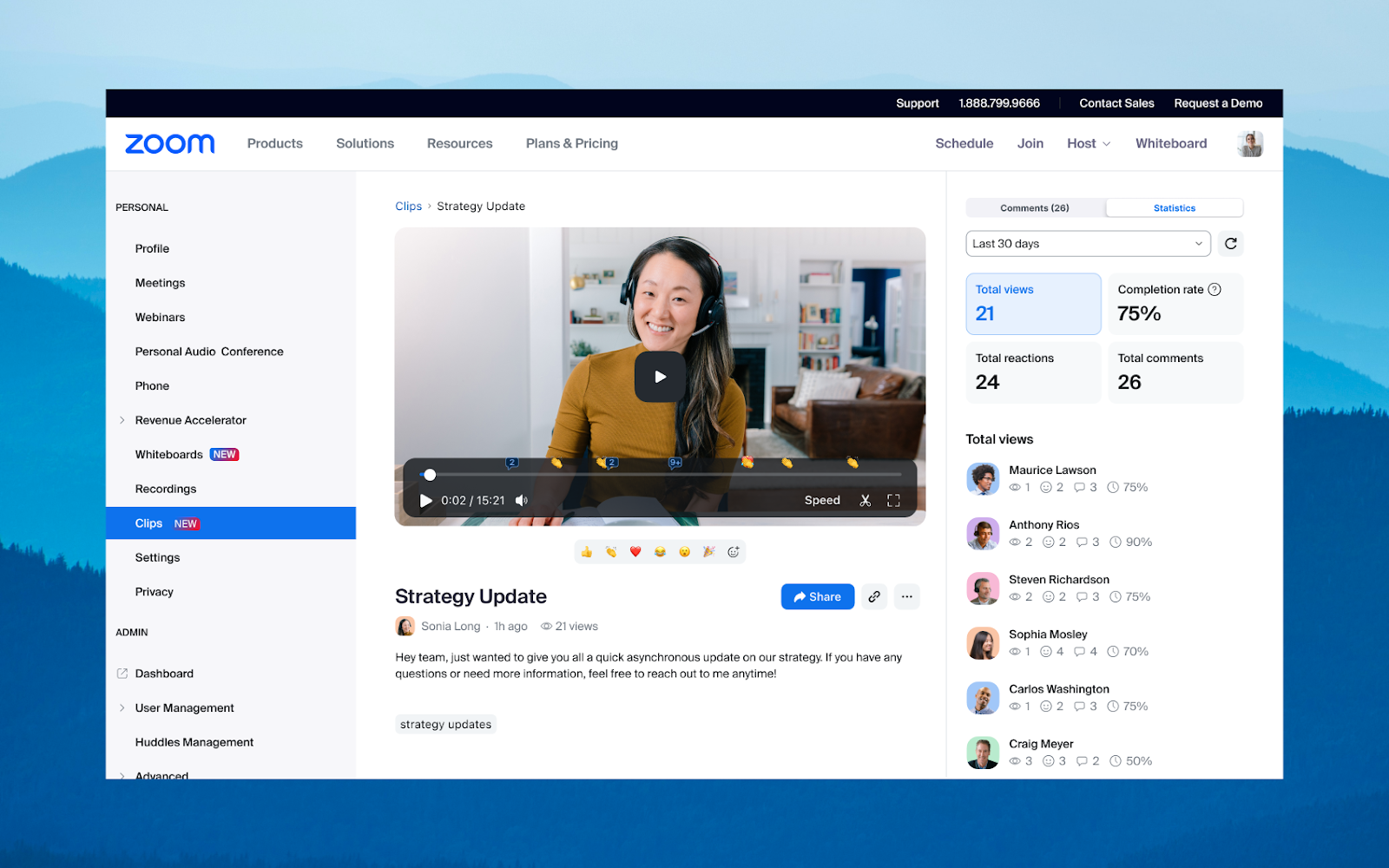
Record, edit, and share short video messages to communicate asynchronously with your team. With Zoom Clips, record a video message or your screen, and set viewing permissions to share with others. Colleagues can comment on clips, and you can track your video views. Explore the Zoom Clips webpage to learn more.
Notes
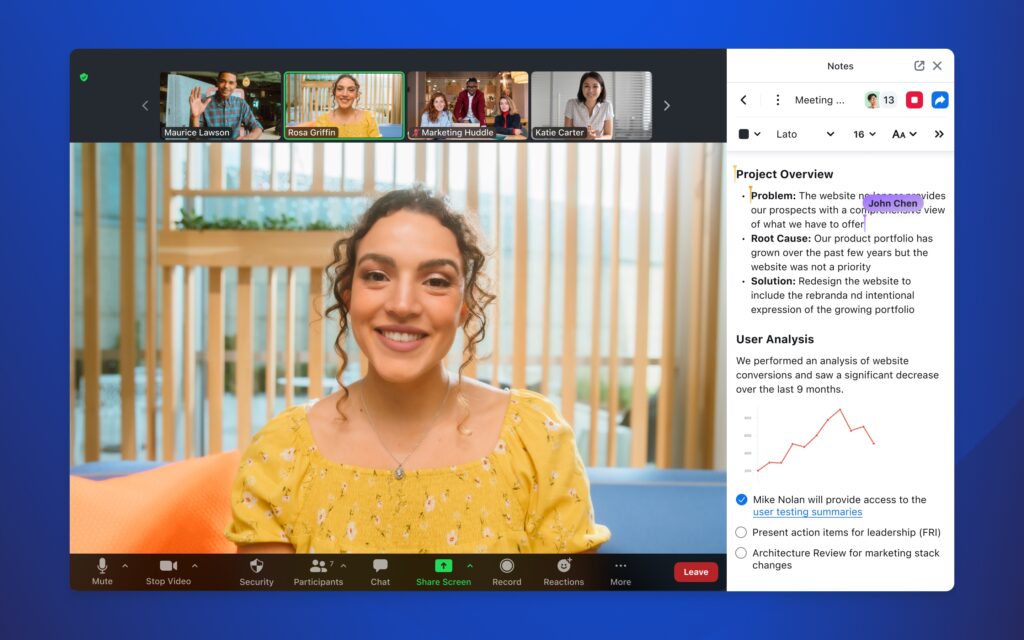
Create and share content within a Zoom meeting without having to jump in between third-party documentation tools, and edit your notes after your meeting has ended. Additionally, Notes offers a robust editor with extensive formatting options such as font, styling, bullets, and colors. Read "Zoom introduces Notes" to learn more.
Survey
Quickly create, edit, and share surveys and polls with colleagues. Survey extends Zoom’s in-meeting and webinar capabilities with a standalone option, providing more ways to engage with others outside of meetings. Aggregate results in different ways, with a comprehensive response overview of all collected data, or broken out by meeting, webinar, link, or individual responses. Learn more about the survey tool on the official Zoom website.
Webinar/Large Meeting
UIT offers several options to support department needs for webinars or large meetings of up to 1,000 participants. Departments can request a loan or to own a 1K Webinar license at no cost. In addition, 3K and 5K Webinar licenses, as well as 1K large meeting licenses, are available to loan for temporary use at no cost. Loaned licenses are assigned for two days and reclaimed once the event is complete. To request any of these options, please submit a Help request.
Departments can also purchase dedicated 3K and 5K Webinar add-on licenses to own permanently for a monthly fee (see rates below). To request a permanent 3K or 5K Webinar license, please submit a Help request
Whiteboard
Zoom Whiteboard is a visual collaboration tool that empowers you to brainstorm and collaborate in and out of meetings. Whiteboard includes feature enhancements such as an infinite canvas, sticky notes, advanced shapes, connectors, templates, and multiple sharing options. Whiteboard Plus has the same functionality as the standard Zoom Whiteboard feature, allowing visual collaboration similar to an in-person experience. However, Whiteboard Plus has additional perks, such as additional data storage, compatibility with project management platforms (e.g., Jira and Asana) and personal template creation. Users can pay a monthly fee for Whiteboard Plus. Check out how to use the whiteboard feature on the official Zoom website.
| Feature | Whiteboard (Standard) | Whiteboard Plus (available to users with additional cost) |
|---|---|---|
| Concurrent editable boards owned | Unlimited | Unlimited |
| Zoom Cloud Storage | 1GB per user | Unlimited |
| Personal Templates | No | Yes |
| Organizational Templates | No | Yes |
| Jira, Asana, and Azure DevOps compatibility | No | Yes |
Translated Captions
Translated captions currently supports 12 languages: Dutch, English, Spanish, French, German, Italian, Japanese (beta), Korean (beta), Chinese Mandarin – Simplified (beta), Portuguese, Russian, and Ukrainian. To get started bridging the language gap in meetings and webinars, submit a Help Request.
To learn more about translated captions, visit the official Zoom website.
Rates
To request any of these additional features, please submit a Help request.
Rates for each feature can be found at the Zoom Rates page.
