 University IT
How do I enter or update my primary work location?
- Log in to StanfordYou with your SUNet ID.
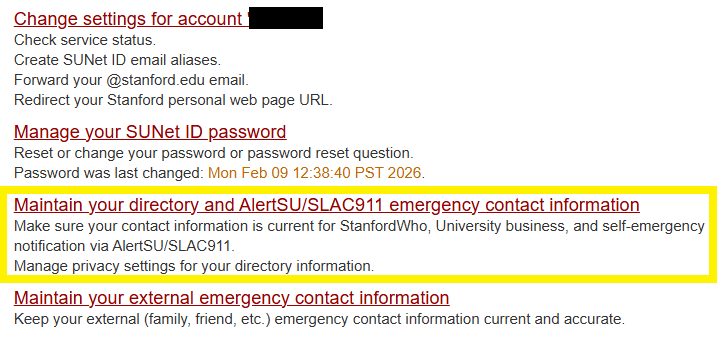
Click Maintain your directory and AlertSU/SLAC911 emergency contact information.
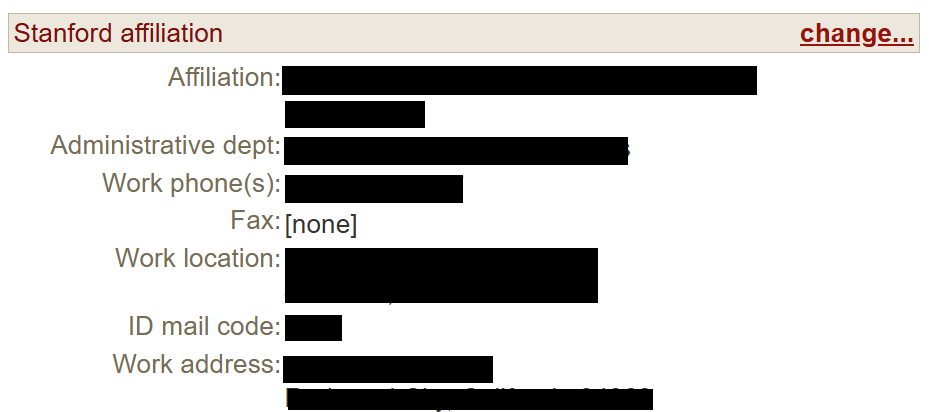
Scroll down to Stanford affiliation and click change....
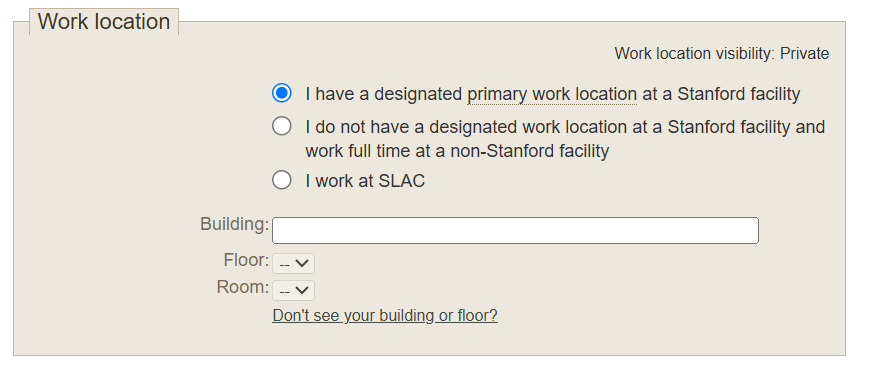
On the Work location tab, designate whether you have a primary work location at a Stanford facility or if you work remotely 100% of the time. If you do work at a Stanford facility, pick the Building that you occupy, and the work location will automatically default to the building address. Choose the best Floor and Room, for your work location.
- Click Save.
Last modified
