 University IT
Jira Interface Updates
On May 13, 2025, the Jira home, project, and issue pages will be updated with a new design and navigation. The new design and navigation will consistently appear across Atlassian applications, focusing on user customization, UX experience improvements, and a more streamlined look.
Homepage
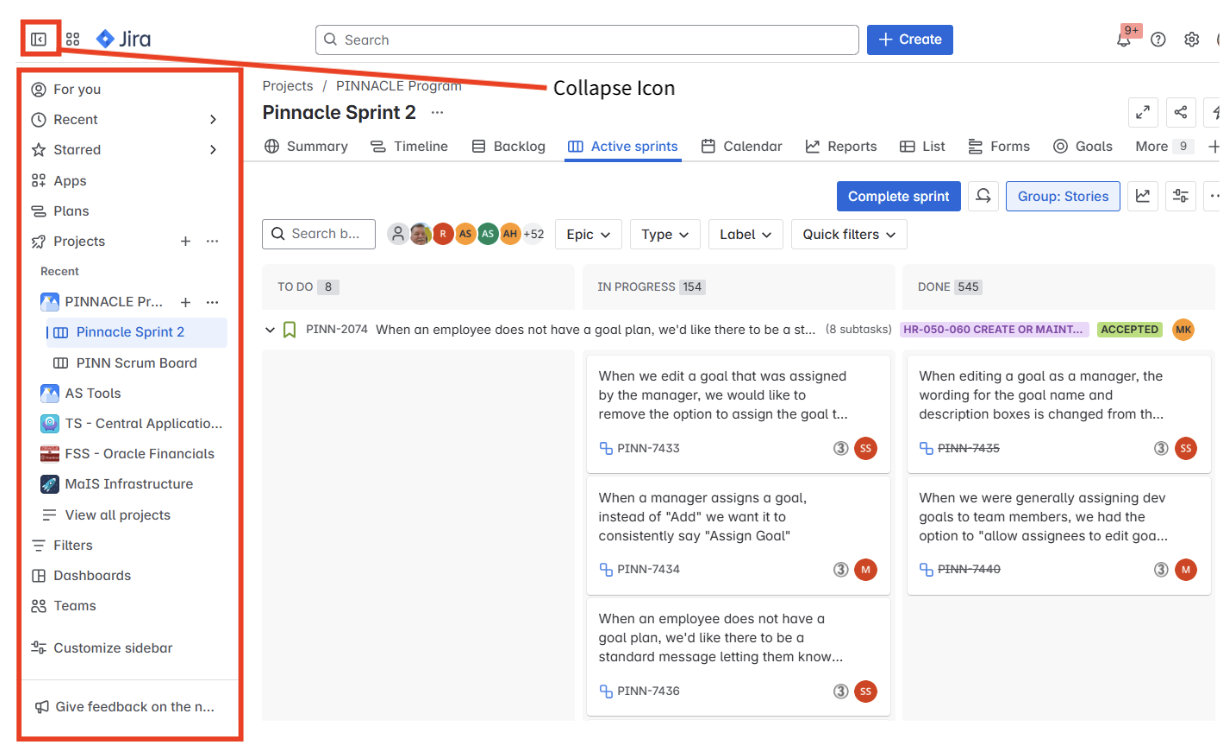
In the new Jira homepage interface, the sidebar menu is expandable and now located on the left-hand side. You can customize your sidebar to display options like goals and notifications, or collapse the sidebar entirely for a more compact workspace. To uncollapse the menu, select the collapse icon  in the top left corner.
Jira project and issue pages
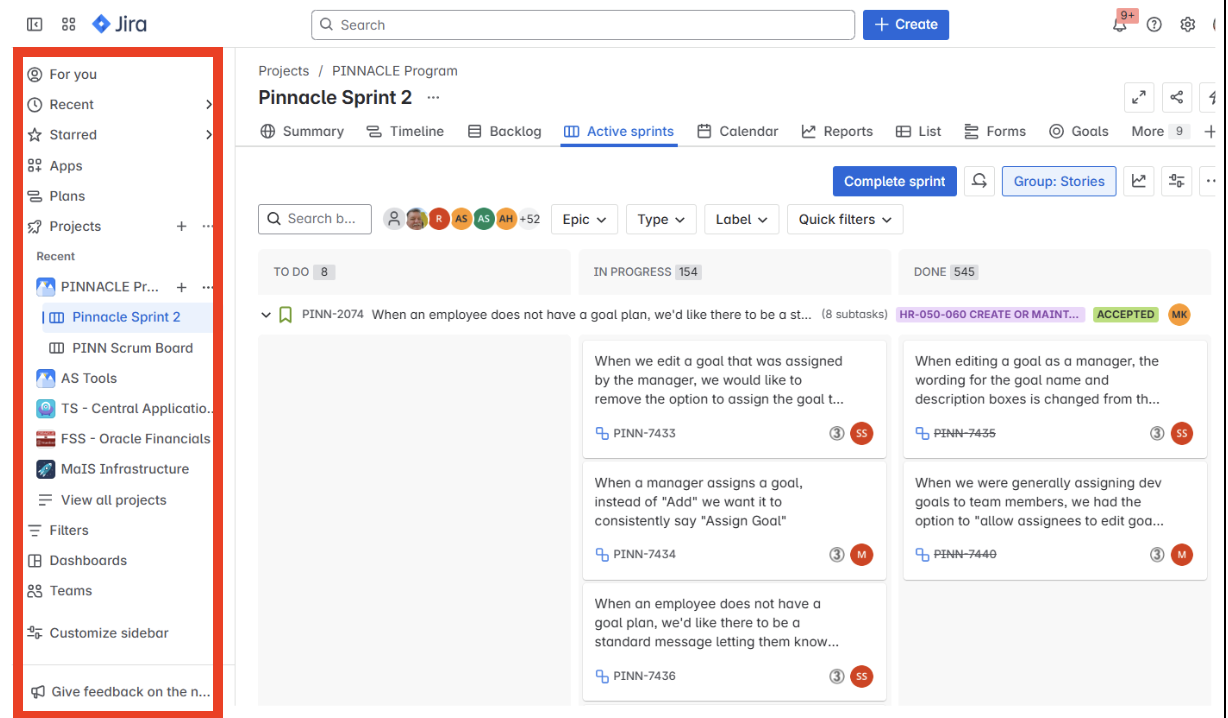
Like the homepage, the sidebar menu on the project page interface is expandable and located on the left-hand side of the interface. Additional changes to the UX experience on the project page include:
- The menu can be hidden and customized by individual users.
- Hovering over a project on the left-hand menu will display additional actions, such as starring/unstarring projects. Note: This functionality was previously in the upper right-hand corner.
- Project view has moved from the left-hand side to the top of the screen.
On issue pages, the action icon will be simplified by removing the word "Action." 
To learn more about Jira updates, visit the What is the new navigation in Jira? webpage.
For questions about these changes to the Jira interface, please submit a Help request.
