 University IT
Device Compliance Migration for SMCH
Use this guide to unregister your iPhone or iPad with Stanford Medicine Children's Health Microsoft (@stanfordchildrens.org) and enroll it with Stanford University (@stanford.edu). Should you require assistance, please submit a Help request.
Prerequisites
Before you begin, you must be enrolled in Stanford device management (Jamf) and have Microsoft Authenticator installed and configured on your mobile device.
Unregister your iPhone or iPad from stanfordchildrens.org
- Open the Microsoft Authenticator app
- Use the hamburger icon to open the menu
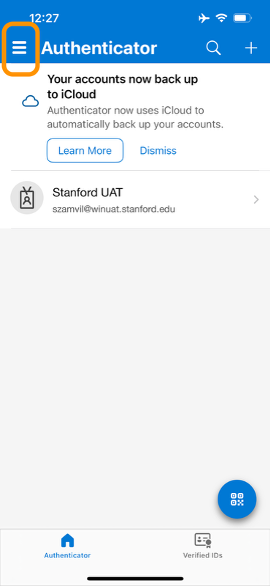
- Select Settings from the menu
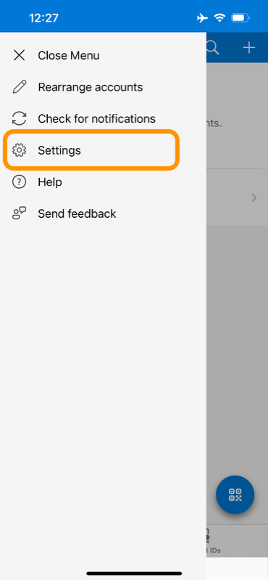
- Under "WORK OR SCHOOL ACCOUNT" select Device Registration
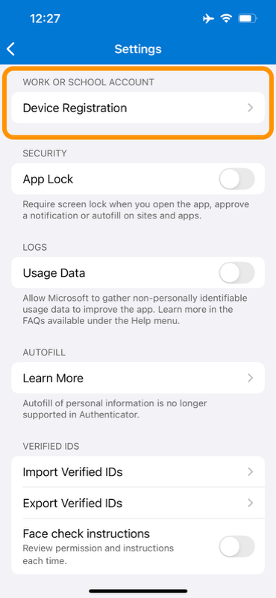
- Under "YOUR DEVICE IS CURRENTLY REGISTERED WITH" select stanfordchildrens.org
Note: If you see a blue “Register device” button this means your device is not registered and you can proceed to the registration steps.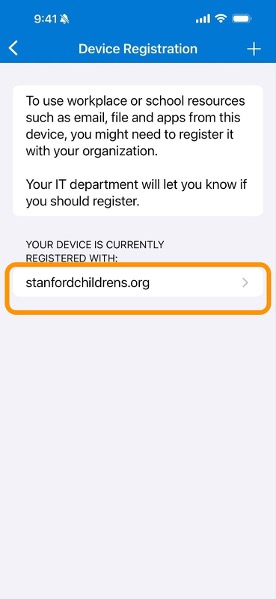
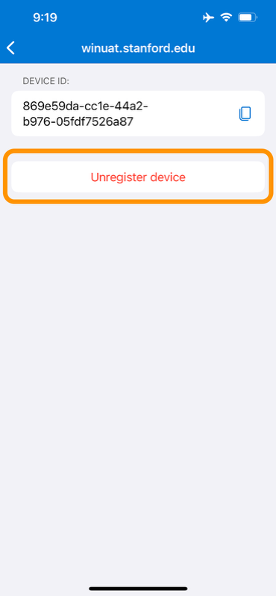
- Select Unregister device
Register and add your @stanford.edu account
- To initiate registration:
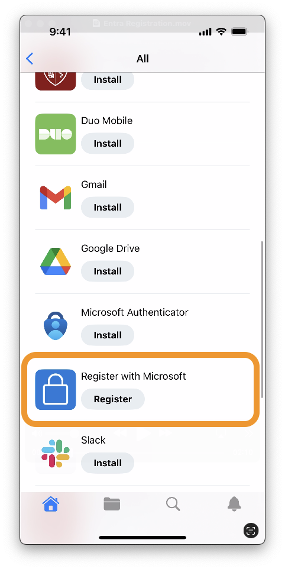
- Open the Self Service app
- Select All
- Select Register with Microsoft
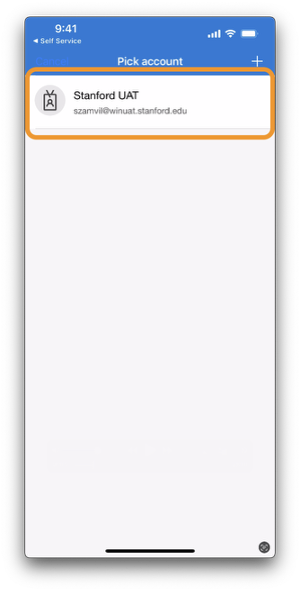
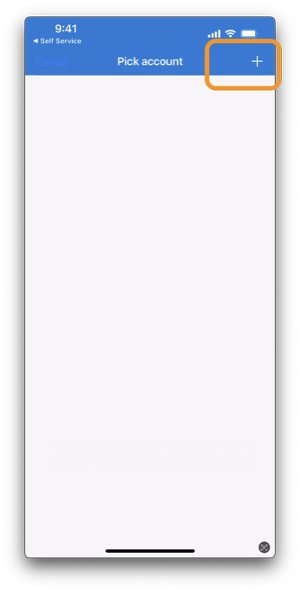
- You will be automatically redirected to the Microsoft Authenticator app. Select your @stanford.edu account from the list or click the plus (+) icon and follow the login steps to login with your stanford.edu account.
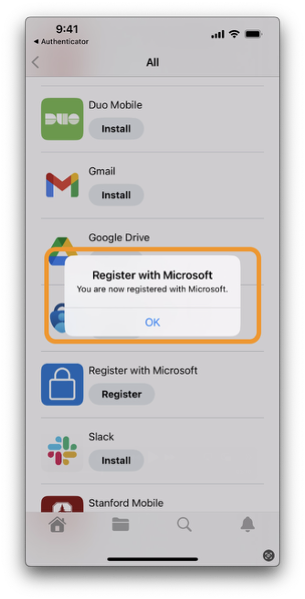
- After selecting or adding your account, you will be redirected back to the Self Service app. A confirmation dialog will appear with the message: "You are now registered with Microsoft"
Last modified
